BradyPrinter S3700 User Manual 101
Maintenance
Cleaning the Printer
XY Cutter Blade
To clean the XY cutter blade:
1. Unplug the printer from the electrical outlet.
2. Remove the ribbon and labels.
3. Open the cover of the printer
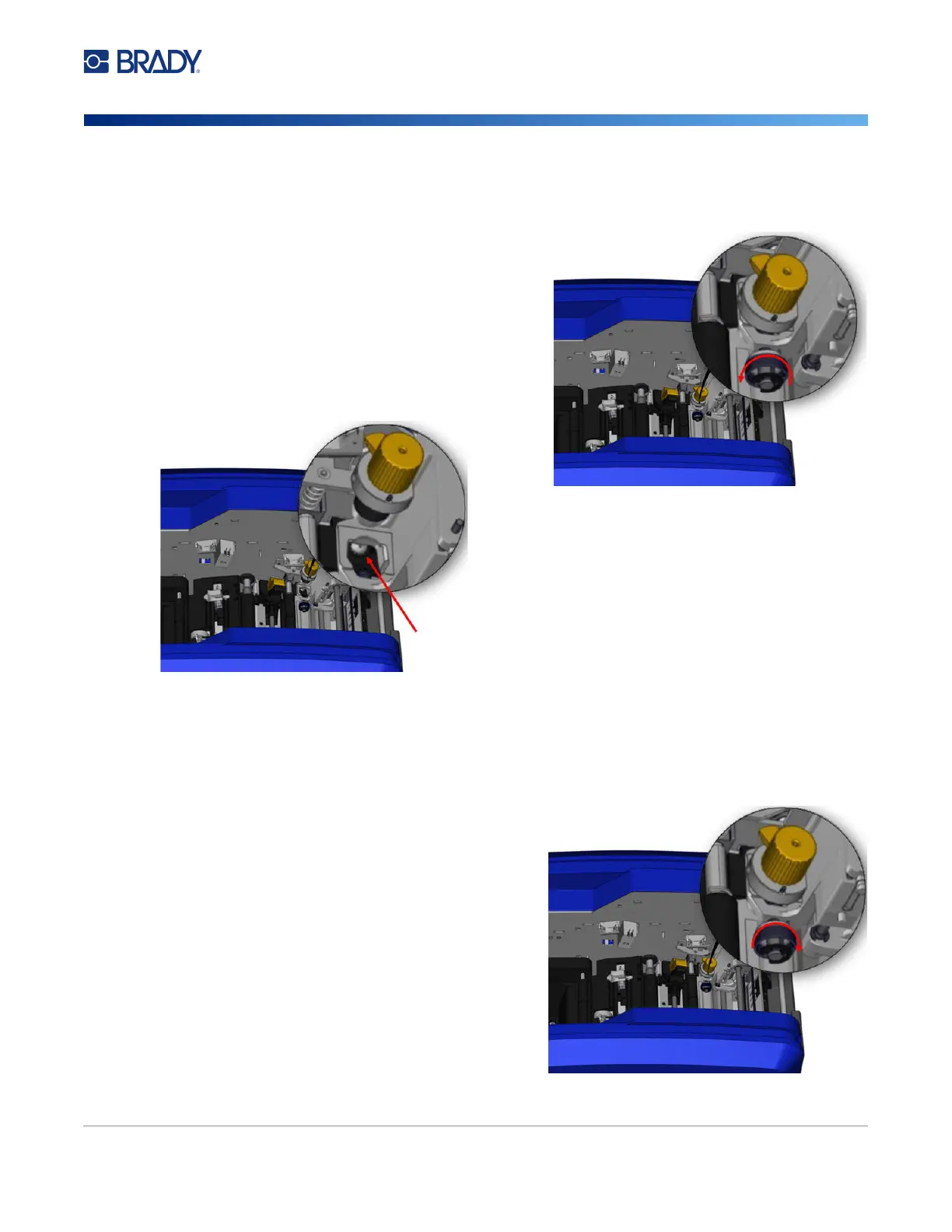
4. Unscrew the thumbscrew of the XY cutter
module.
5. Lift the cutter module from the carriage.
6. Using a cotton swab moistened with the Isopropyl alcohol, clean off any dust from the area
where the blade sticks out.
To re-install the cutter module:
7. Place the flat surface of the collar against the carriage, then insert the cutter module into the
carriage.
8. Tighten the thumbscrew until it clicks.











 To Next Page