BradyPrinter S3700 User Manual 15
Setup
Loading Supplies
Loading Supplies
Brady labels and ribbons come equipped with smart-cell technology that enables the printer to
recognize the type of label and ribbon installed and automatically set many label formatting details.
Installing the Ribbon
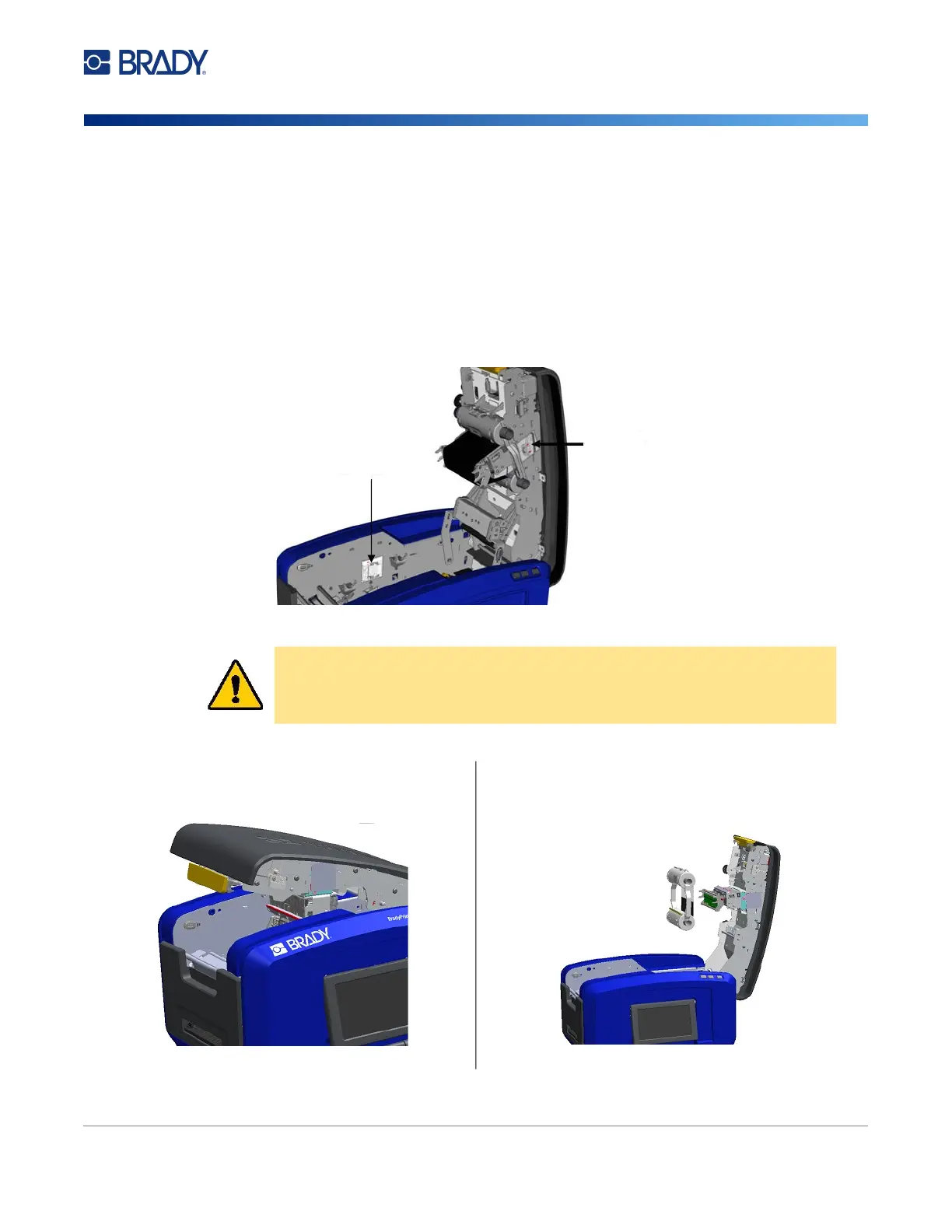
Illustrations on the inside of the cover show how to install the ribbon and label supply.
CAUTION! The cover pops open quickly. Place your hand on the cover as you
press the latch.
1. Open the cover by pulling up on the bottom of the
yellow latch.
2. With the cartridge tab on top, facing outward, place
the exposed ribbon over the printhead, then push the
cartridge forward until it snaps into place.
Ribbon
Installation
Instructions
Label
Installation
Instructions











 To Next Page