BradyPrinter S3700 User Manual 38
Formatting Labels
Font
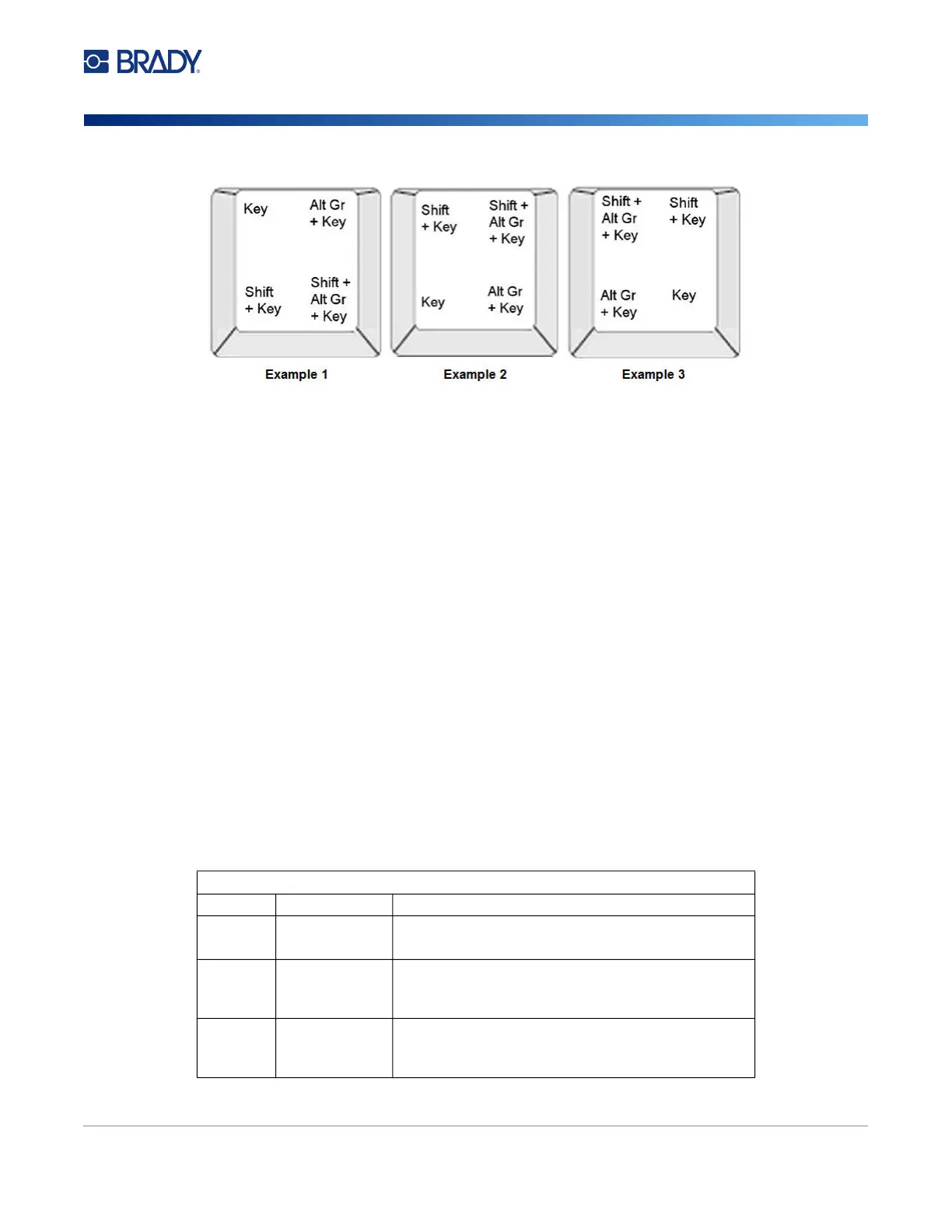
Understanding Keystroke Combinations
• The term “Key” represents the physical key on which the accent character is located.
• The Alt-GR key is also referred to as the “switch” key.
• The “+” sign indicates that two or more keys should be pressed simultaneously.
• A comma separating a keystroke combination indicates that the first set of keys should be
released before typing the next keystroke combination.
Typing Accented Characters
Typing the key combinations may vary depending on the keyboard configuration you are using. The
following shows an example of using each of the four key combinations.
Note: See “Character Mapping & Keyboard Layouts” on page 129 for a list of accent characters
available with specific keyboards and the keyboard configurations.
To type an accented character:
1. On the keyboard, locate the key with the accented character you want applied.
2. Type the appropriate keystroke combination. The tables below show example keystroke
combinations.
Note: The following tables show an example of North American QWERTY and European QWERTY
keystroke combinations.
North American QWERTY Key Combination Example
Result Accent Key Keystroke Combination
ç
Cedilla Lower Case: Alt Gr + Key
Upper Case: Shift + Alt Gr + Key
ô
à
Circumflex
Grave
Lower Case: Shift + Alt GR + Key, Letter
Upper Case: Shift + Alt GR + Key, Shift + Letter
é
ñ
Acute
Tilde
Lower Case: Alt-GR + Key, Letter
Upper Case: Alt-GR + Key, Shift + Letter











 To Next Page