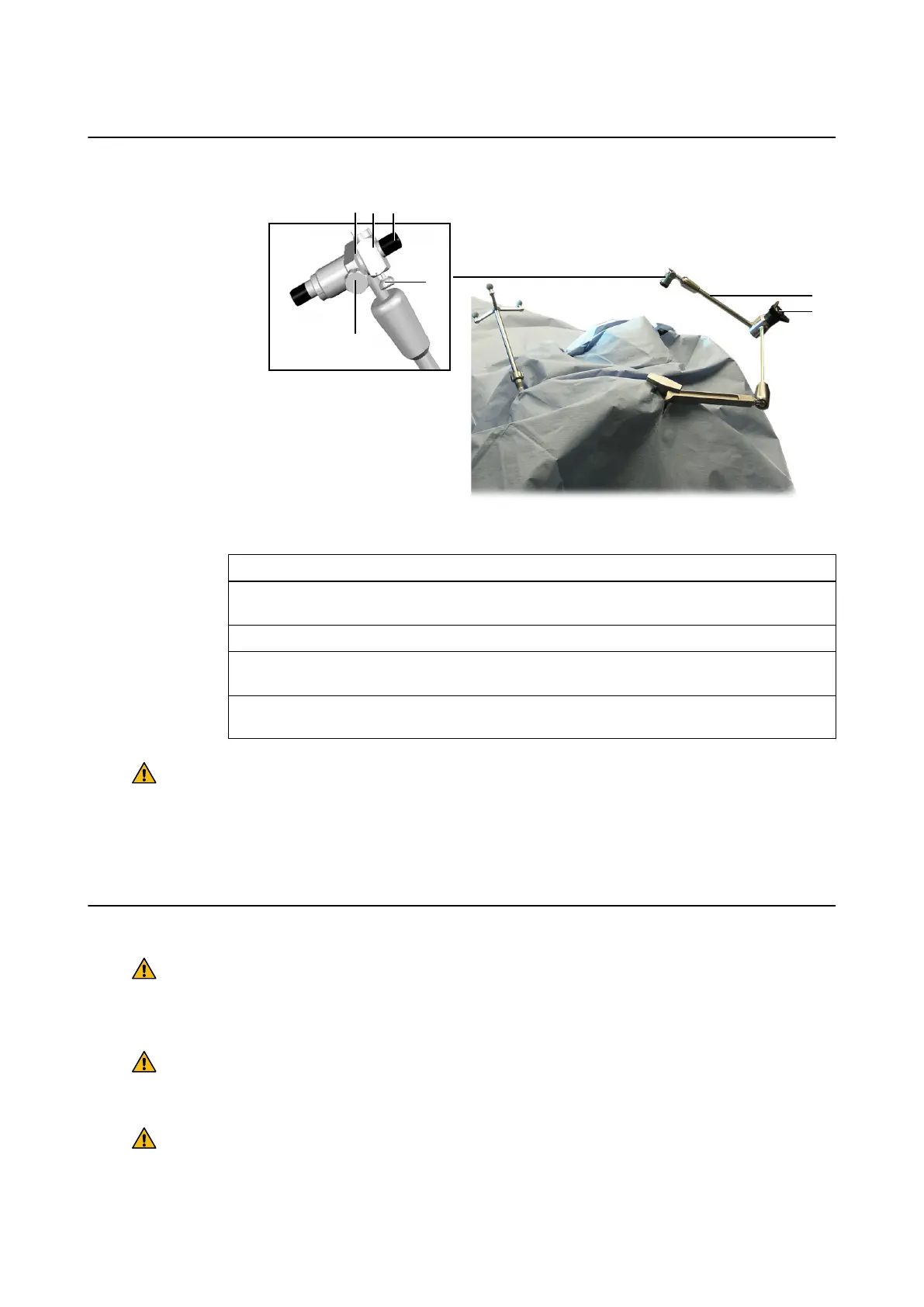
How to Position the Biopsy System
Figure 58
Step
1. Position the Frameless Biopsy System, securing it tightly with the central tension handle
⑦.
2. Place additional drapes around the biopsy system and the reference array.
3. Insert the biopsy tube ③ (with the correct inserts ④) into the sleeve ②, securing it tightly
with the guide screw ① and fixator screw ⑤.
4. Attach the Biopsy Alignment Array to the biopsy tube, securing it tightly with the screw
on top of the array.
Warning
Ensure that the Frameless Biopsy System is correctly mounted and that the total load does
not exceed the limit specified. Excess load could loosen the clamp, damage the joints and
bars, and deform or inadvertently displace the instruments.
NOTE: To readjust the position, grip the top of the articulated arm ⑥ and turn the central tension
handle counterclockwise to loosen it. Adjust the device as necessary and retighten the handle.
Safety Considerations
Warning
Never loosen the central tension handle without first gripping the top of the articulated arm
with your other hand. Otherwise, the Frameless Biopsy System, or an inserted instrument,
could fall onto the patient.
Warning
Do not grip the Frameless Biopsy System at the ball joints while the central tension handle
is unfastened as you could injure your fingers.
Warning
To maintain adequate friction, do not lubricate the joints.
Frameless Biopsy System
100 Instrument User Guide Rev. 2.3 Cranial/ENT Optical



 To Next Page