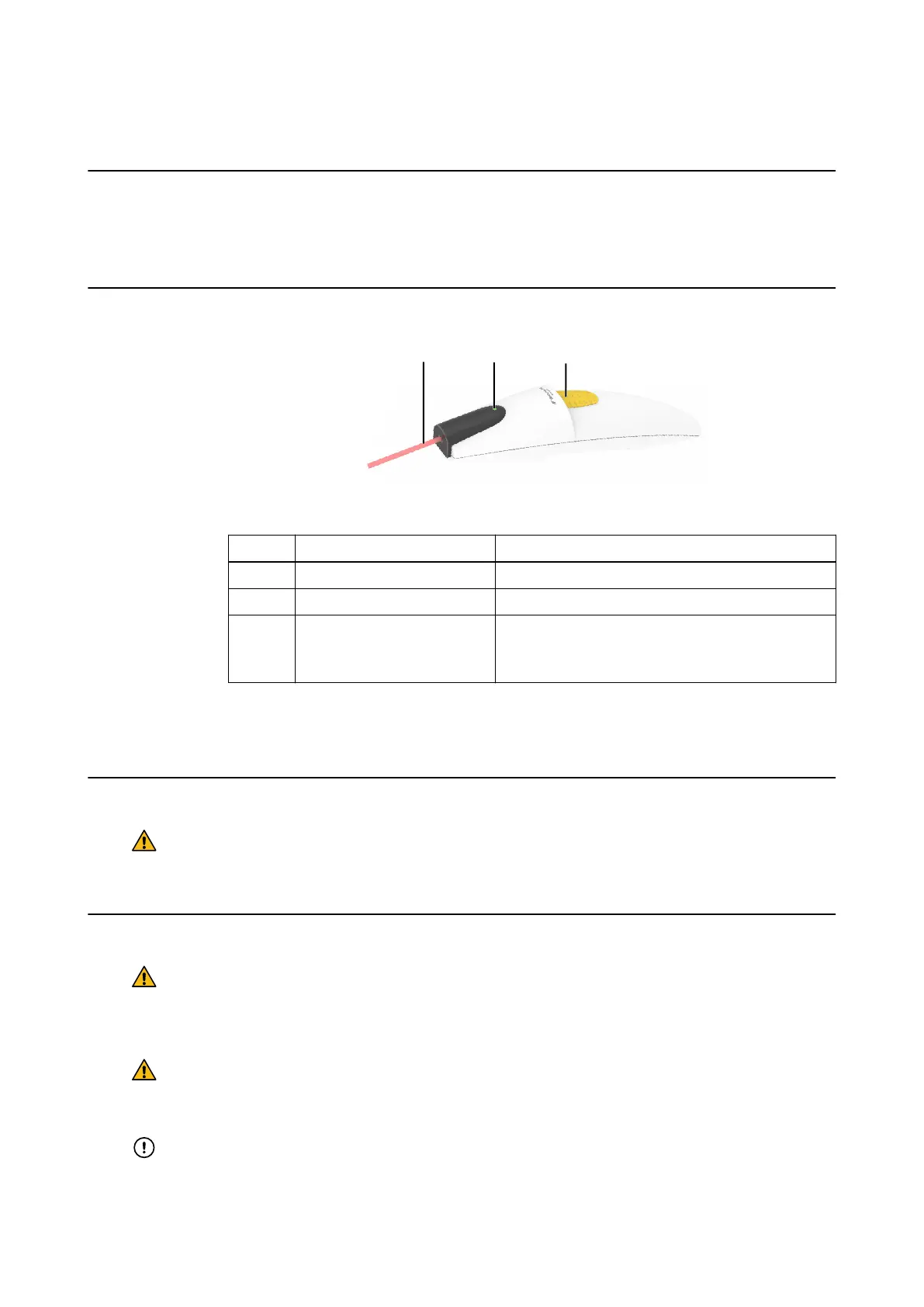
4.4 Z-touch Laser Pointer
Introduction
The Z-touch Laser Pointer (18370) is a precalibrated laser pointer used to scan the surface of
the patient’s head. The software acquires the scanned points and matches them to the patient’s
preoperative CT/MR images.
Components
Figure 18
No. Component Function
①
Laser aperture (visible laser) Camera detection
②
Control LED (infrared laser) Allows camera to track the pointer
③
Activation button
Activates both laser beams.
• Turn on: press the switch for less than one second
• Turn off: press the switch for two seconds
NOTE: If the Z-touch infrared laser beam is not detected by the camera during registration, check
the camera distance to the patient and either reduce the camera distance or check for the
presence of other interfering light sources.
Before Use
Warning
Use of Z-touch is strictly limited to medical personnel familiar with laser products.
Inappropriate handling of laser equipment is a hazard to patients and clinical staff.
Correct Instrument Handling
Warning
Handle the pointer with extreme care. Should the pointer tip become bent or deformed in
any way, report this to Brainlab support. Working with a damaged pointer tip will lead to
extreme inaccuracy during navigation.
Warning
Do not expose infrared detectors from other devices to the Z-touch laser beam or Brainlab
camera.
Do not modify Z-touch.
POINTERS
Instrument User Guide Rev. 2.3 Cranial/ENT Optical 45



 To Next Page