9.5 Leica Microscopes
How to Connect
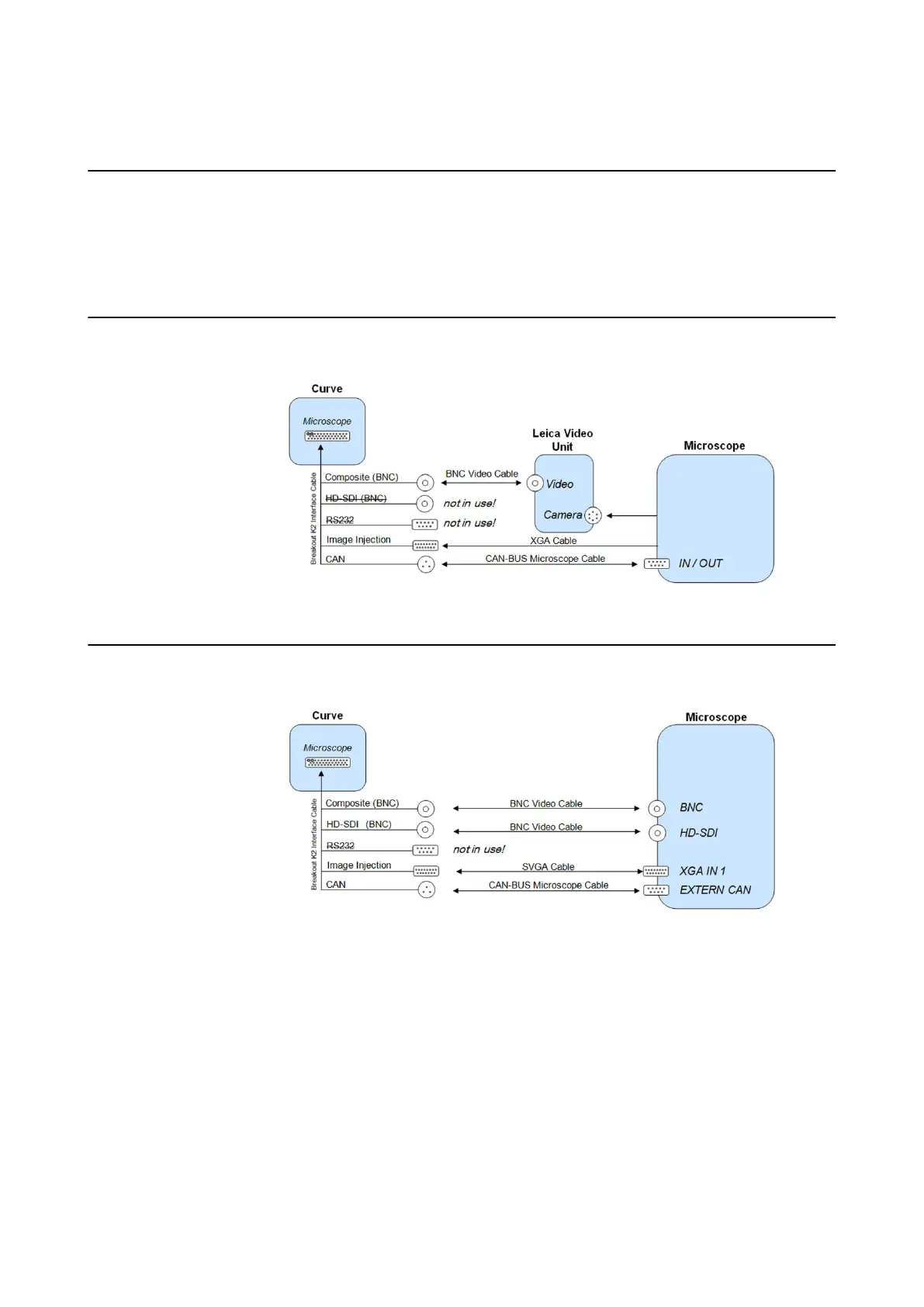
Connect the supplied cables between the microscope ports and the corresponding ports on the
Curve 1.0 system according to the following diagrams.
NOTE: Secure the loose cables that hang from Curve to the base of the system with the Velcro
strap provided. This strap fits through the hole located on the foot of the system.
Leica M500-N/M520
Figure 77
Leica M525/M530/M720 (SAI)
Figure 78
NOTE: It is recommended to use an HD-SDI connection if available.
MICROSCOPES
Instrument User Guide Rev. 2.3 Cranial/ENT Optical 117



 To Next Page