162 Brocade MLX Series and NetIron XMR Hardware Installation Guide
53-1003821-01
Installing a NetIron XMR 16000 router
3
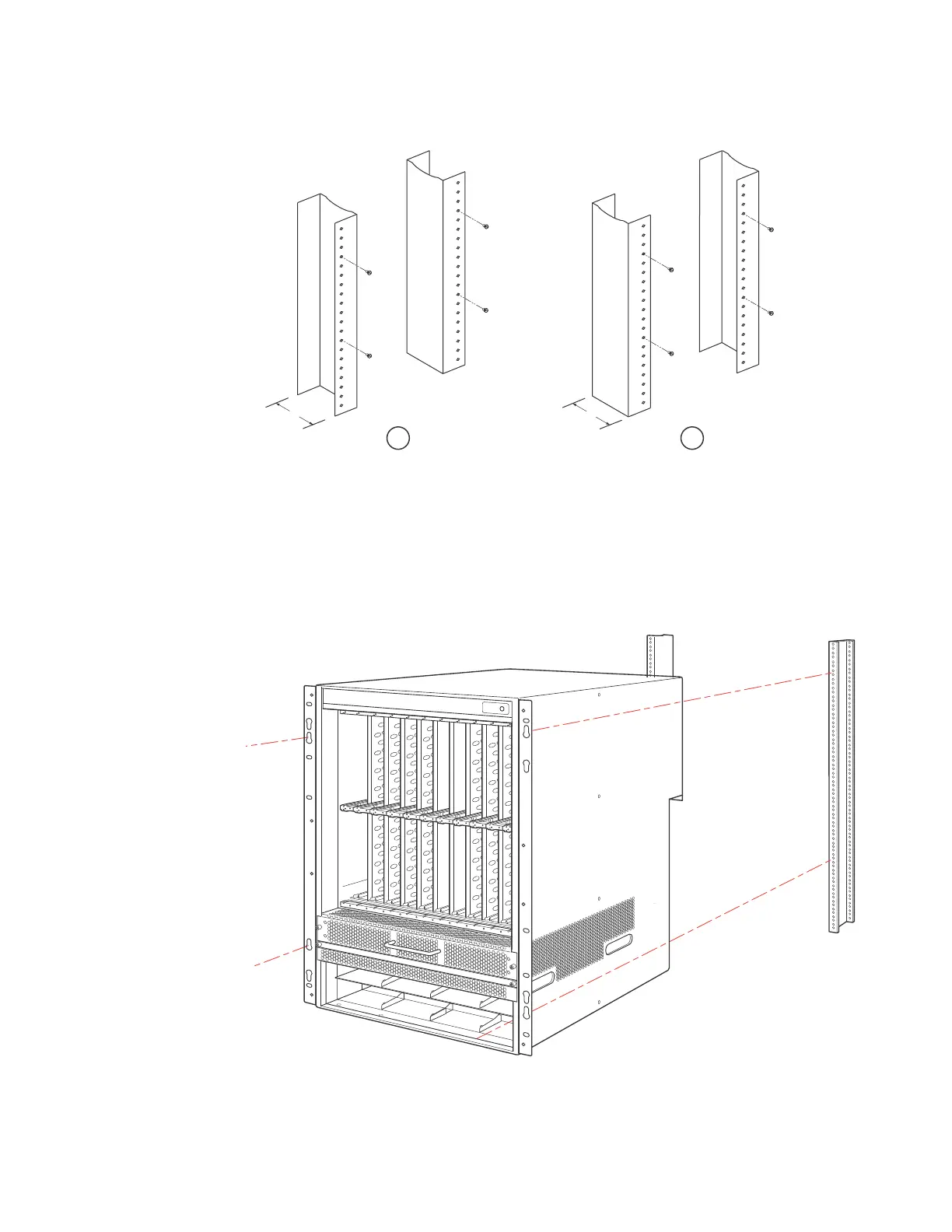
3. Mount in the router that will have the lowest position in the rack first, as shown in Figure 110.
With two or more people lifting the router, slip the wide portion of each keyhole slot over the
corresponding screw in the rack.
FIGURE 110 Mounting the NetIron XMR 16000 router in a rack (front-mount configuration)
4. Slide the router down so that the screw heads are in the narrow portion of the keyhole slots.
1 Unequal flange equipment rack 2 Network equipment rack


 To Next Page
 Loading...

