Operation Manual
FT1020G3 Rev 2.4
83
7. Click “OK”
After the SSD download, the FT1020G3 will restart. A number of faults may then be
generated due to the loop units being not connected yet. This will cause "heavy traffic" on
the network, which might affect and delay the SSD download to the other units.
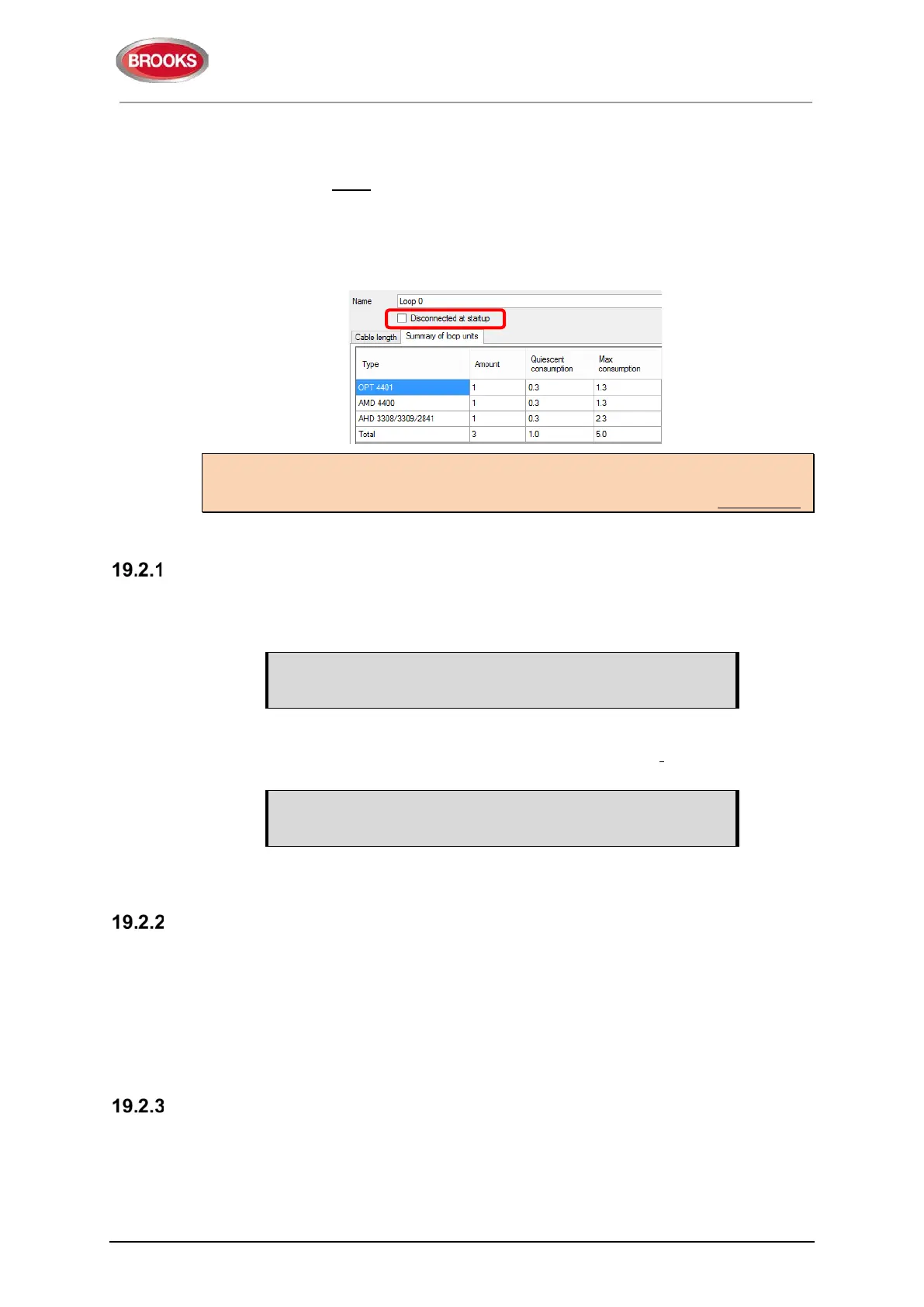
Disconnected at start up
In the COM loop properties dialog box, it is possible to select the option "Disconnected
at start up". The COM loop will then be disabled directly after the download restarts and
therefore no faults will be generated.
Note: A COM loop "Disconnected at start up" can be re-connected via menu H8/S1 but
it will be disconnected again following a new restart. Finally, the SSD for that Control
Unit has to be downloaded again with the option "Disconnected at start up" not selected.
For more details, refer to The FT1020G3 Technical Manual.
SSD Download to Single Control Unit
Start the SSD download from EBLWin as shown above, a text message will be shown in
the FT1020G3 display “Downloading SSD”. When the download is completed and the
Control Unit restarts, a fault message will be shown in the display:
FAULT: Restart Control Unit nn, code 25
DD-MM-YYYY HH:MM
Code 25 indicates a normal restart after the SSD download.
Acknowledge the restart fault. If the download was unsuccessful, another fault will be
generated.
FAULT: Site specific data (SSD), CU nn
DD-MM-YYYY HH:MM
This text message means that the SSD file has not been downloaded successfully, i.e. a
new download has to be performed.
SSD Download to Control Units in a TLON Network
The SSD for all Control Units can be downloaded via a PC / EBLWin, connected to one
Control Unit. The download will be performed to the Control Units, one at a time, according
to chapter "Single Control Unit" above. The download is performed in a consecutive order,
i.e. 0-1-2-3-4-……-29 amongst the selected Control Units but the Control Unit where the
PC is connected will automatically be the last one to get the SSD downloaded.
When the SSD download to a Control Unit is completed, that Control Unit will automatically
restart and generate a restart fault.
User Definable Text Messages Download
Each alarm point, zone and zone line input should have a unique user definable alarm text
programmed via EBLWin. When a fire alarm is activated e.g. an addressable alarm point,
the presentation number (Zone - Address) will be shown in FT1020G3 display and in all
the remote display units 1728 and 1736 together with its user definable alarm text.
All user definable text messages are created and downloaded via EBLWin.



 To Next Page