Programmer
11
Chapter 1 Preparations of operation
Turning power OFF
1. Write the programmer data into a floppy disk.
Refer to "Writing data to a floppy disk" (page 214.).
If the data is not need to be saved, delete it.
Refer to "Deleting data in a floppy disk" (page 216.).
2. Press
P
on the programmer.
The panel turns off.
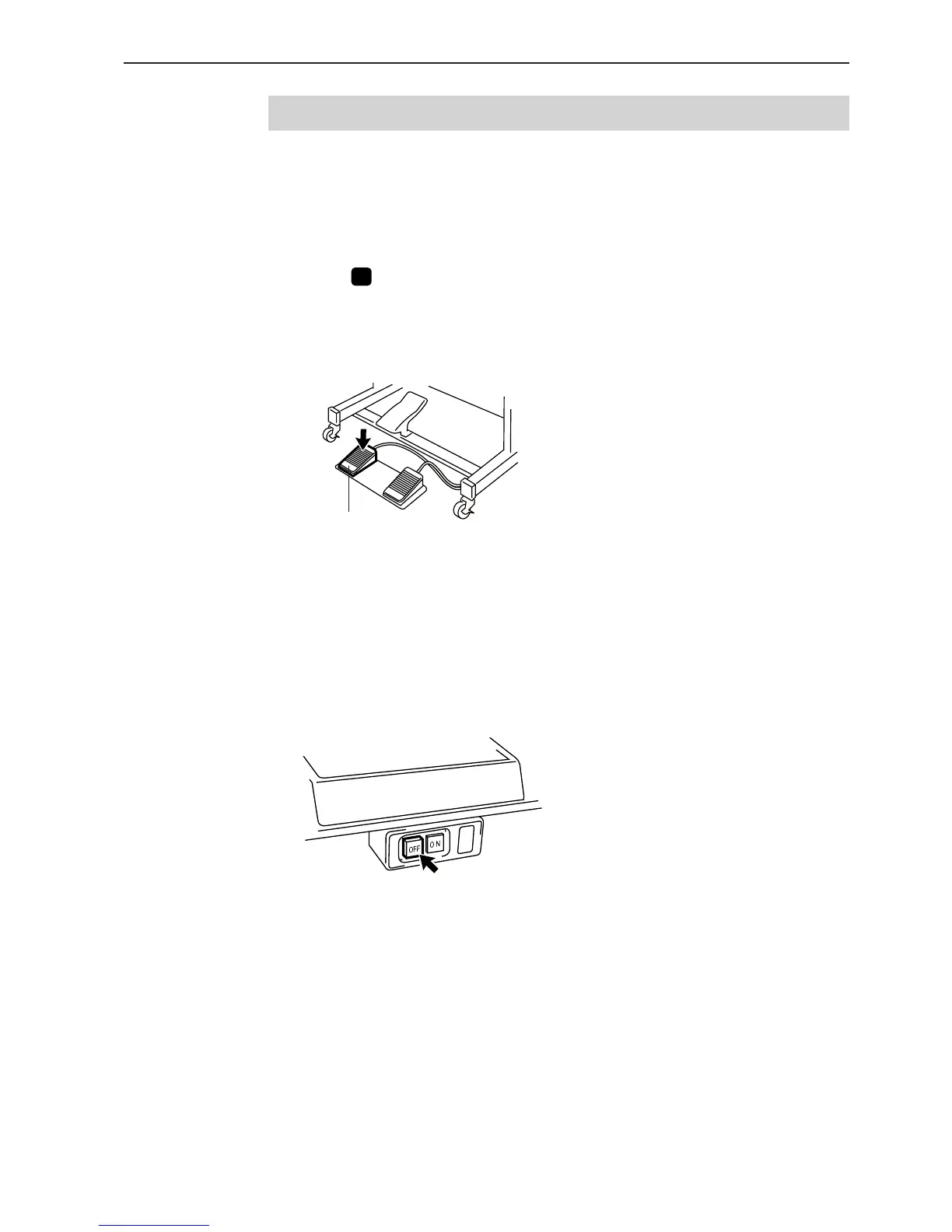
3. Press the foot switch pedal to lift the work clamp.
4. Remove the pattern sheet.
5. Press the foot switch pedal to lower the work clamp.
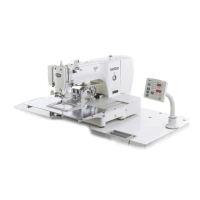
6. Switch OFF the machine.
Foot switch pedal



 To Next Page