Programmer
94
Chapter 2 Programming with Help Function
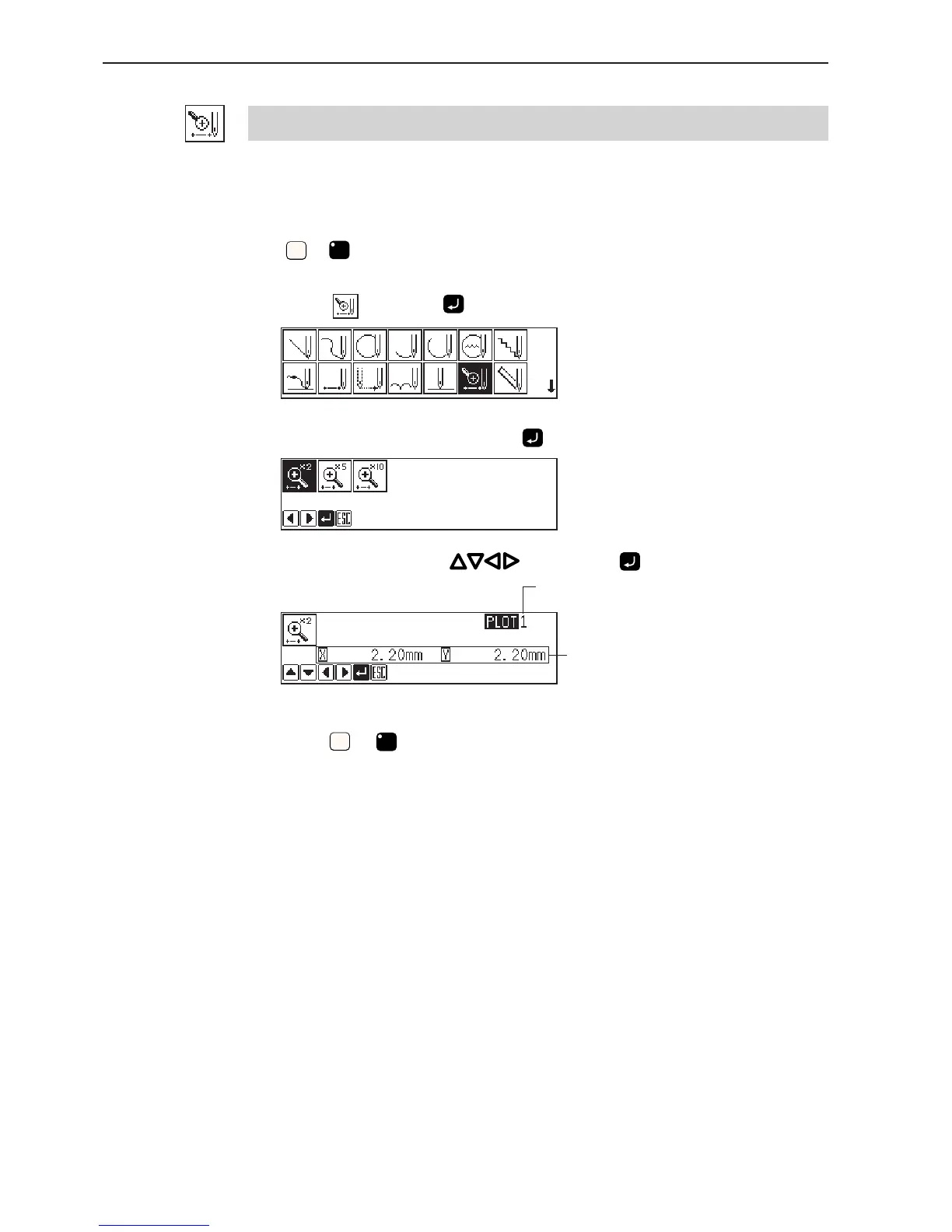
Creating magnified data
Input small patterns in magnified sizes.
Three magnification scales of x2, x5 and x10 are available.
Prepare pattern sheets suitable for the magnified patterns.
Press
ESCESC
or
C
to contract the magnified data.
1. Select
and press .
2. Select magnification and press .
3. Move the needle with , then press .
4. Press
ESCESC
or
C
.
Remaining plot count
Distance from the previous point in the
direction of X or Y axis



 To Next Page