Programmer
88
Chapter 2 Programming with Help Function
Creating a zigzag circle
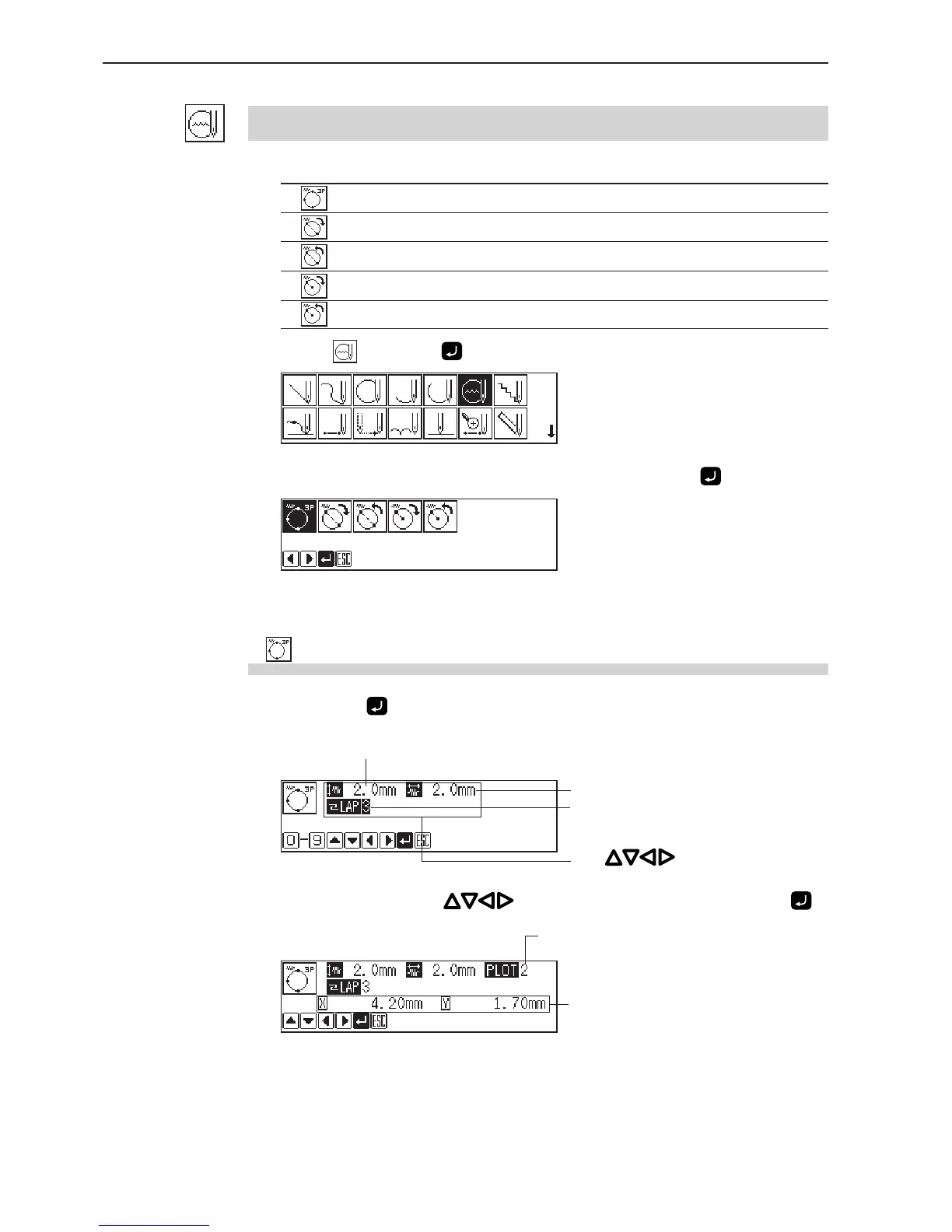
The following five options are available for creating a zigzag circle.
Creating a zigzag circle by specifying 3 points on the circumference
Creating a zigzag circle of the specified diameter in the clockwise direction
Creating a zigzag circle of the specified diameter in the counterclockwise direction
Creating a zigzag circle of the specified radius in the clockwise direction
Creating a zigzag circle of the specified radius in the counterclockwise direction
1. Select and press .
2. Select an option of creating a zigzag circle, then press .
If is selected
1. Input the zigzag stitch width, stitch length and the overlap stitch count,
then press
.
Values of 0 - 9 are available for input.
2. Move the neelde with to select the second point and press .
Zigzag pitch
Stitch count for overlap sewing
Press for selection.
Zigzag width
Distance from the previous point in
the direction of X or Y axis
Remaining plot count



 To Next Page