Programmer
95
Chapter 2 Programming with Help Function
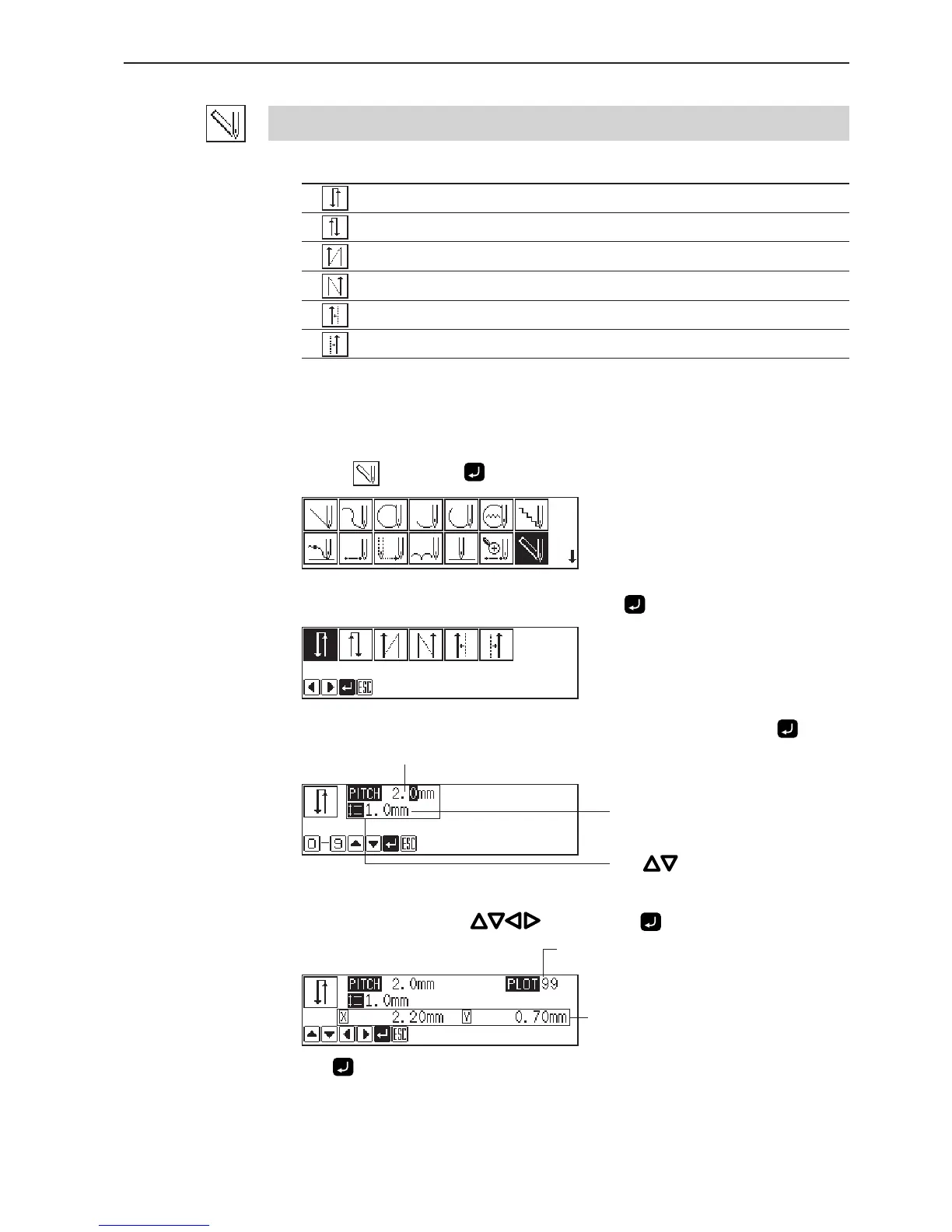
Remaining plot count
Distance from the previous point in the
direction of X or Y axis
Carrying out double stitch
The following six options are available for double stitch.
Creating double stitch data in the reverse direction to the left side of the sewing path
Creating double stitch data in the reverse direction to the right side of the sewing path
Creating double stitch data in the same direction to the left side of the sewing path
Creating double stitch data in the same direction to the right side of the sewing path
Offsetting double stitch data to the left side of the sewing path
Offsetting double stitch data to the right side of the sewing path
If sharp angles or fine curves are included in the pattern sheet, the desired double stitch may
not be achieved.
1. Select
and press .
2. Select the type of double stitch and press .
3. Input the stitch length and the double stitch width, then press .
4. Move the needle with , then press .
Press twice to change the direction of sewing.
Stitch length
Double stitch width
Press for selection.



 To Next Page