Programmer
49
Chapter 2 Programming with Help Function
1
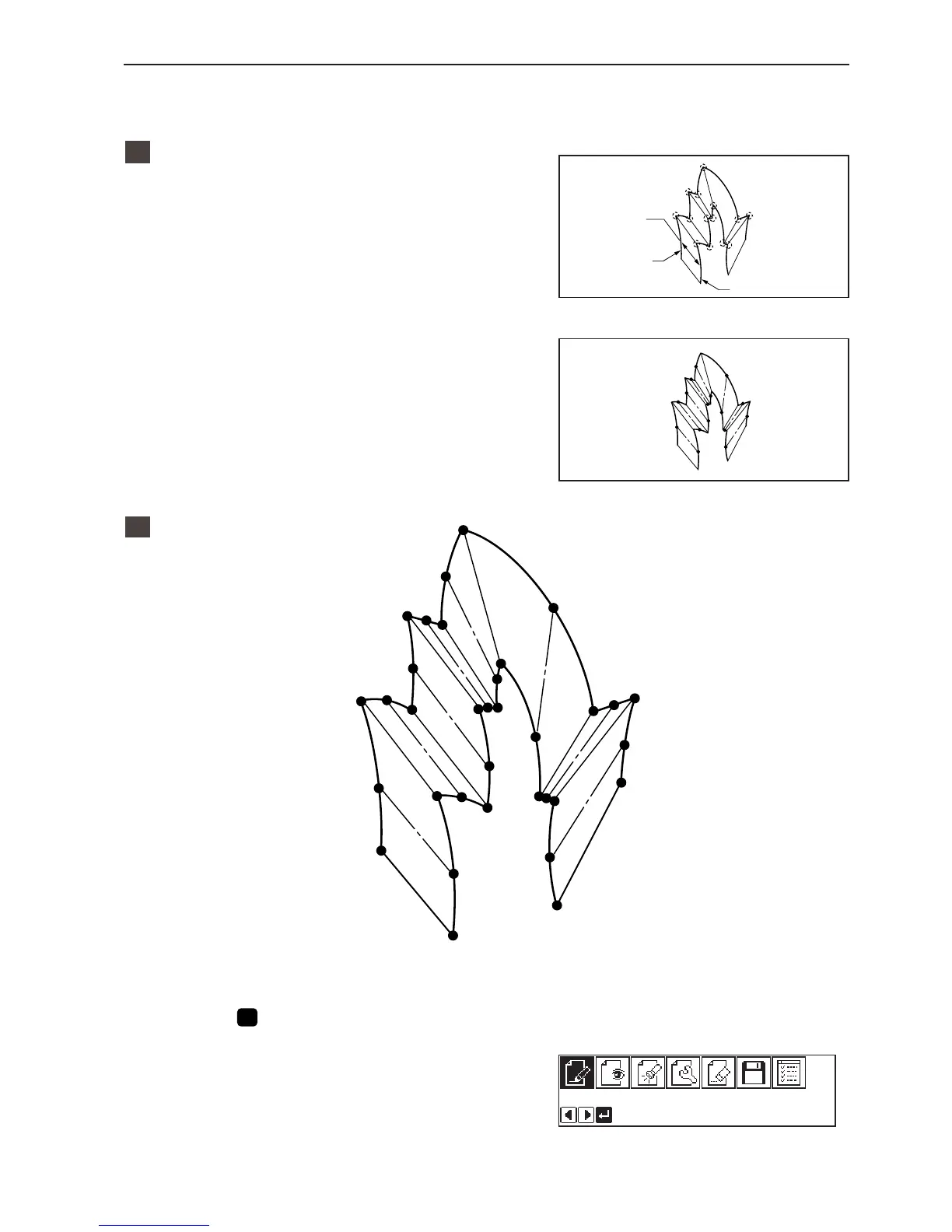
Creating a stitch pattern
1. Create a pattern in consideration of the most
inside and outside lines for a multiple stitch.
The two lines should be spaced uniformly.
2. Connect each direction change point on the
inside line with the matched direction
change point on the outside line using a line.
3. Provide one point (or more points) between
the above two direction change points, and
connect them using a line.
Follow the procedure for curve points specification.
Specify points in pairs on the inside and outside lines. The lines
should be spaced uniformly.
2
Programming
1. Press
P
.
The work clamp moves to the home position and the
programmer screen is displayed.
Should be spaced
uniformly.
Outside line
Inside line
w
!2
@8
@7
!1
!0
o
iu
@6
@5
@4
@3
@2
@1
!9
!8
e
r
t
y
q
!7
!6
!5
!3
!4
#4
#3
#2
#0
#1
@9



 To Next Page