SMART KTF 2000 – KTF/RW Operation
SMART KTF 2000 3B-41 -
SCAN - Displaying Articles currently loaded in the SM-DIN/RW devices
WORK
SCAN
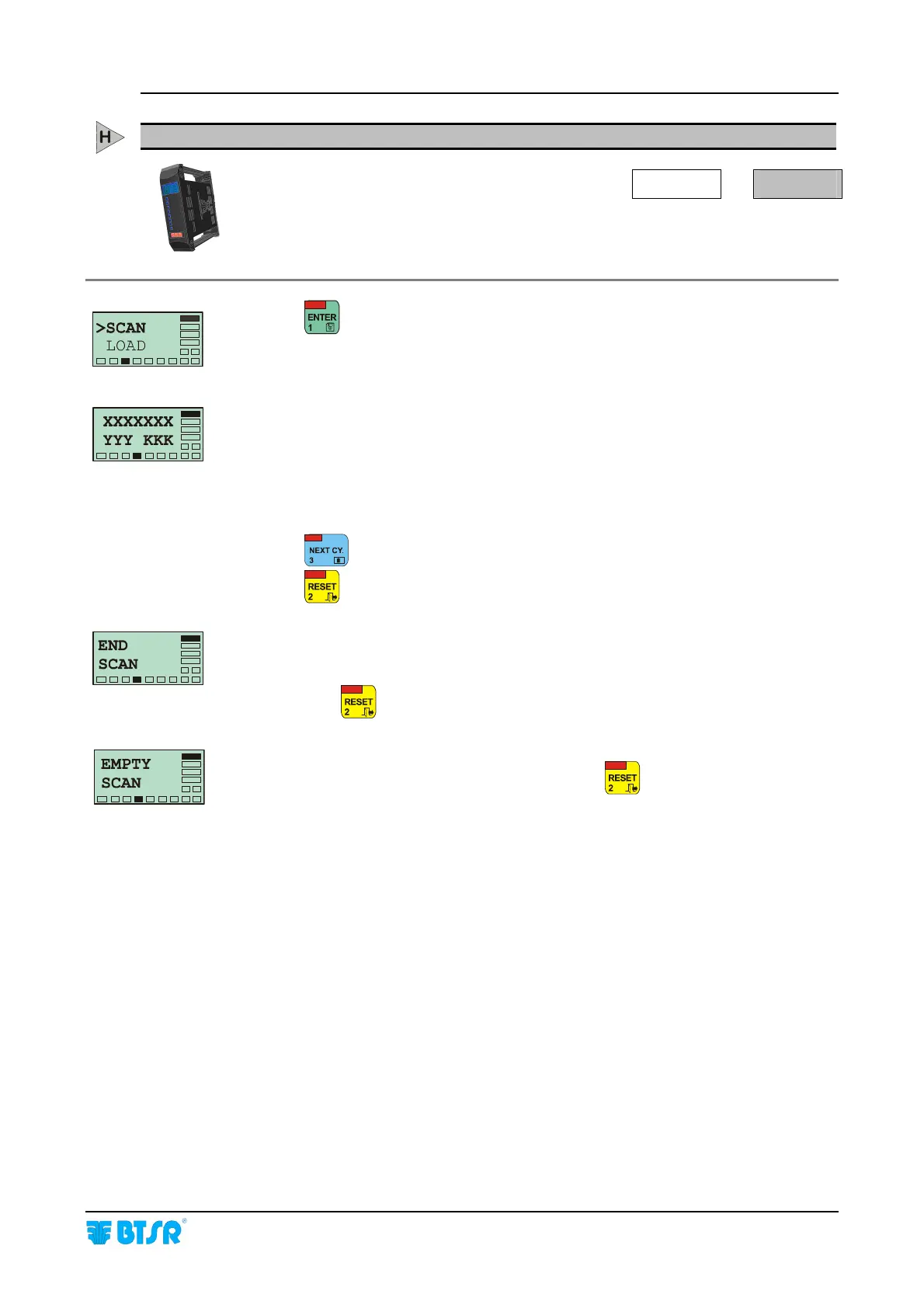
This function allows you to display the articles which are loaded into SM-DIN/RW
devices connected to SMART KTF 2000 terminal.
Press
to have access to the function.
This screen shows the first article loaded in the devices connected to the SMART
KTF 2000 terminal.
XXXXXXX identifies the name of the article
YYY and KKK represent the range of devices on which the XXXXXXX article is
loaded, in particular:
YYY shows the first device on which the article has been loaded
KKK shows the last device on which the article has been loaded.
Press
to go to the next article.
Press
to leave the function.
When the scanning of all the articles currently loaded has finished, the END SCAN
message appears to indicate that there are no other articles beyond those displayed
until now.
Press once
to return to >SCAN screen, or twice to return to the Main Menu.
If no article has been loaded on the connected devices, the display will show the
EMPTY SCAN message. In this case, Press once
to return to >SCAN screen,
or twice to return to the Main Menu.










 To Next Page