SMART KTF 2000 – KTF/RW Operation
3B-42 - SMART KTF 2000
LOAD - Loading an article in SM-DIN/RW device memory
WORK
LOAD
This function allows loading of an article (more specifically the settings of the
article) on a specified range of SM-DIN/RW device connected to the SMART KTF
2000 terminal.
The devices must have been previously declared and numbered using the CONFIG
DEVICE function
.
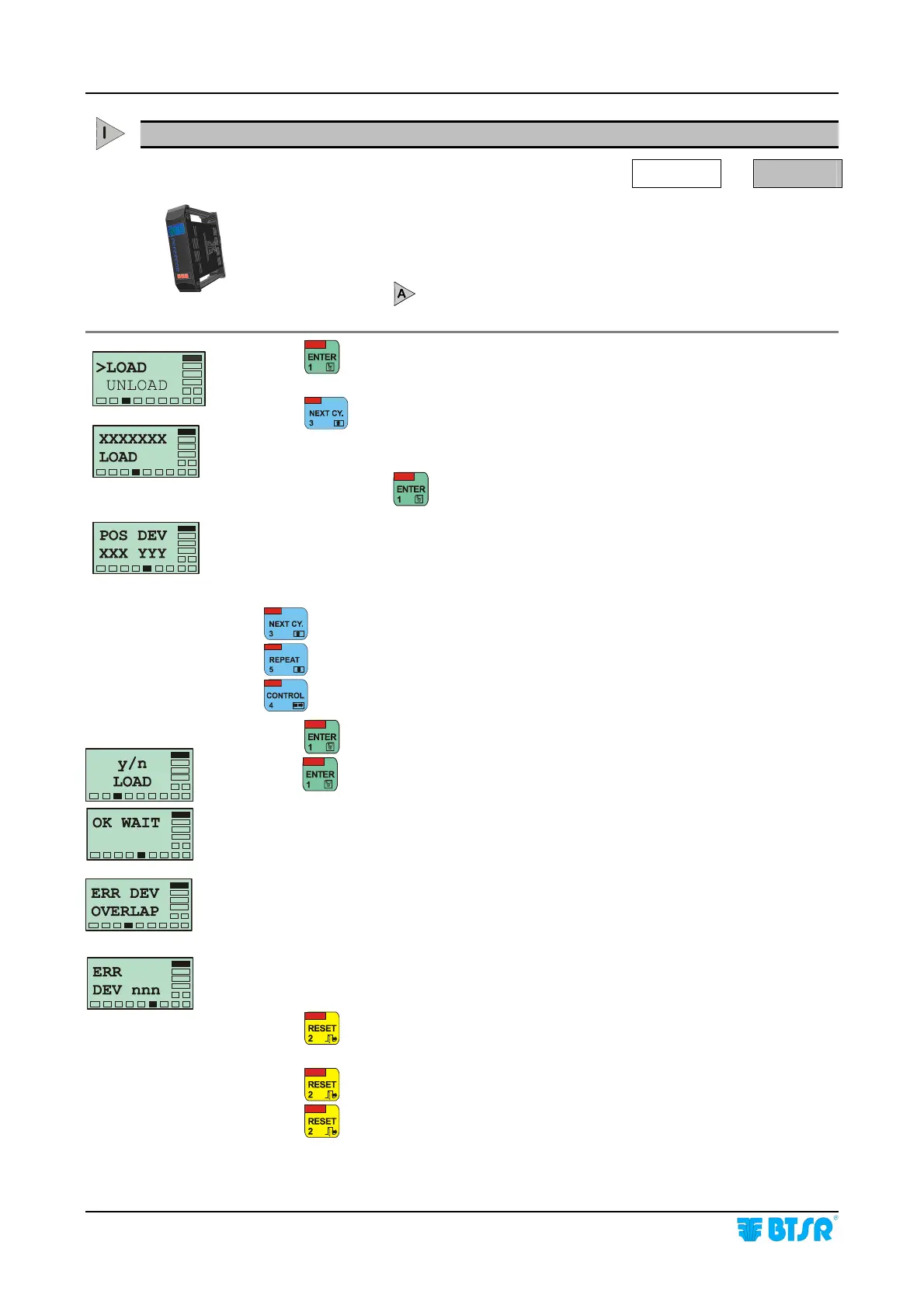
Press to have access to the function.
Press
once or several times until the name of the required article you wish to
load into the devices appears.
At this point press
. This screen indicates the first and last SM-DIN/RW
device on which you wish to load the article.
XXX and YYY represent the range of device on which you want to load the
selected article, in particular:
XXX shows the first device
YYY shows the last device
Increases the number where the cursor is positioned.
Decreases the number where the cursor is positioned.
Moves the cursor between XXX and YYY fields.
Press
to confirm the setting and go to the next screen.
Press
to load the parameters of the article in the selected range of devices.
During the loading phase the message OK WAIT is shown for a few seconds.
If you try to load an article into a range of devices in which another article was
previously loaded, the system signals the incompatibility by displaying the ERR
DEV OVERLAP message. In this case it is necessary to unload the previous
article, by using the UNLOAD function and repeat the LOAD function, to load the
new article.
In the case of a programming error, the system signals the fault with the message
ERR DEV nnn, where nnn is the number of devices which has not been
programmed correctly.
Press
once to return to the POS DEV screen and continue with programming
a new set of devices
Press
twice to return to the XXX LOAD screen and select a new article to load.
Press
three times to return to the Main Menu.










 To Next Page