SMART KTF 2000 – KTF/RW Operation
SMART KTF 2000 3B-43 -
UNLOAD - Unloading articles from the SM-DIN/RW device memory
WORK
UNLOAD
This function allows to unload an article which was previously loaded using the
LOAD function, from a range of SM-DIN/RW devices.
It is not necessary to specify any range of devices as the function automatically
unloads the settings of the selected article from the range of devices on which the
article itself was loaded.
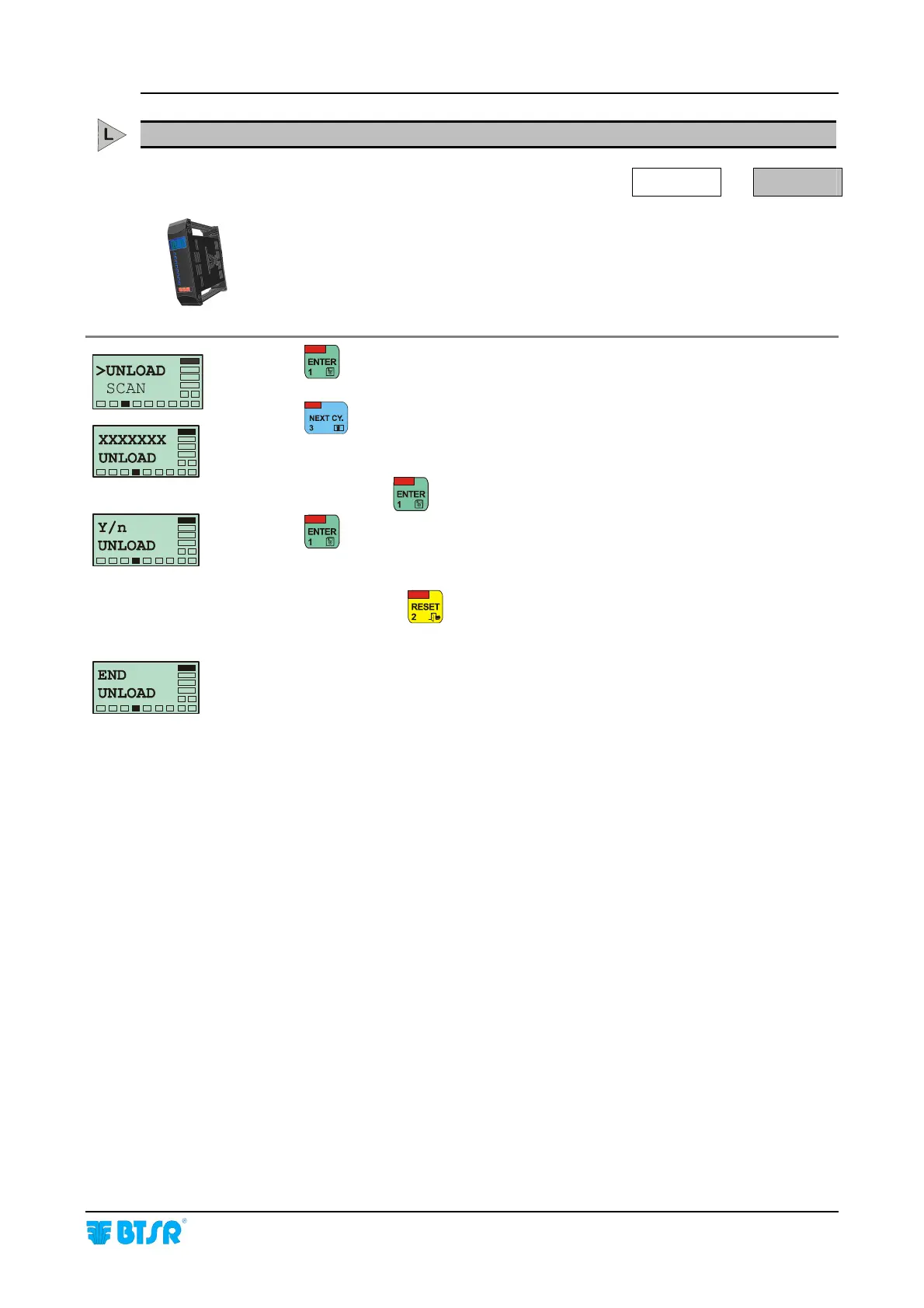
Press to have access to the function.
Press
once or several times until the name of the required article that you
wish to unload from the devices appears.
At this point press
to have access to the function.
Press
to unload the settings of the article from the devices which were
previously detecting that article.
When finished press
to leave the function and return to >UNLOAD SCAN
screen or two times to return to Main Menu.
The END UNLOAD message means that all articles have been unloaded from the
devices connected to the SMART KTF 2000 terminal.










 To Next Page