6 | Operating the interface pro BÜCHI Labortechnik AG
48/88 Operation Manual UniversalExtractor E-800
Menu symbol Meaning Submenu/Actions
[ Solvent ] menu Solvent library
See Chapter12.2 "Sol-
vent table", page80
Editing and saving sol-
vents
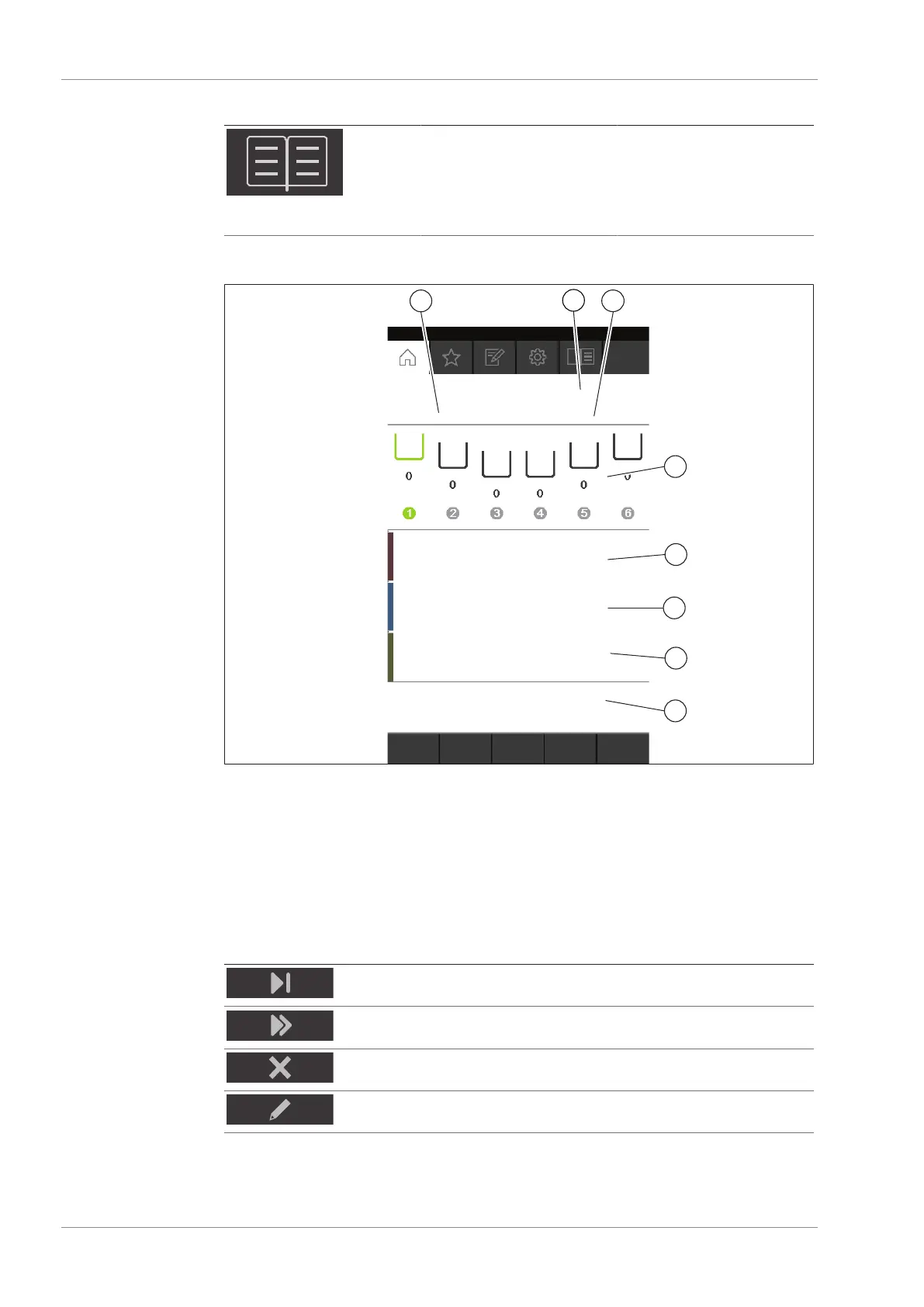
6.3.1 Home menu
Fig.11: Home menu
1 Time remaining 2 Method
3 Status 4 Extraction position
5 Extraction time and heating level 6 Rinsing time and heating level
7 Drying time and heating level 8 Control buttons
On the home menu the following control buttons are available:
Button Meaning
Skips the actual step at the selected position.
Skips the actual step for all positions.
Aborts extraction on the selected extraction position.
Editing the running method.


 To Next Page