v
Applying Creative Filters
102
5
Select a shooting mode.
Press the <
W
> <
X
> or <
Y
> <
Z
>
keys to select a shooting mode, then
press <
0
> and select [
OK
].
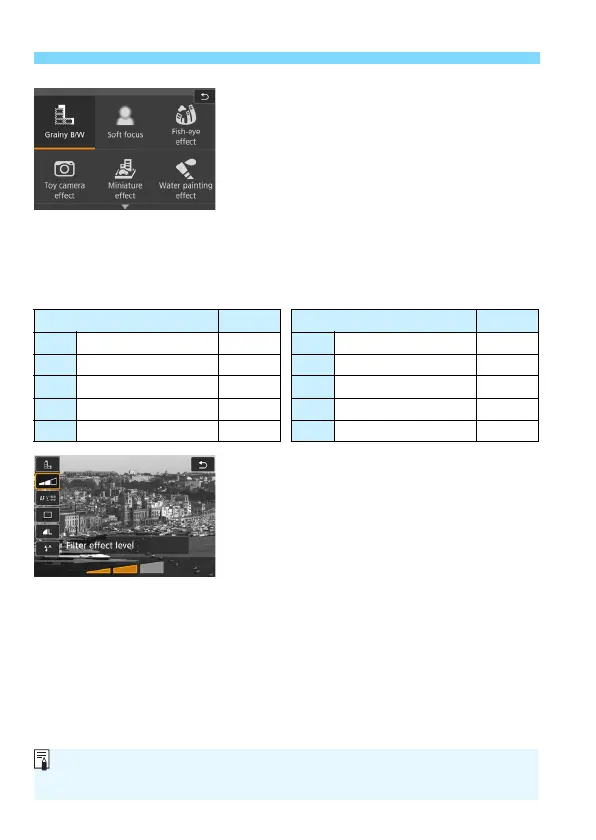
The image will be displayed with the
effects of the filter applied.
For the Miniature effect, press the
<
W
> <
X
> keys to move the white
frame to where you want the image to
look sharp.
Available Shooting Modes in the v Mode
6
Adjust the effect.
Press the <
Q
> button and select the
icon below [
Creative filters
] (except
for
c
,
A
,
B
,
C
, and
D
).
Press the <
Y
> <
Z
> keys to adjust
the filter effect, then press <
0
>.
7
Take the picture.
Press the shutter button completely to
take the picture.
To return to viewfinder shooting,
press the <
0
> button to exit Live
View shooting. Then press the shutter
button completely to take the picture.
Shooting Mode Page Shooting Mode Page
G Grainy B/W p.103 Z Water painting effect p.104
W Soft focus p.103 A HDR art standard p.104
X Fish-eye effect p.104 B HDR art vivid p.105
H Toy camera effect p.104 C HDR art bold p.105
c Miniature effect p.104 D HDR art embossed p.105
If you do not want the Live View image to be displayed when setting
functions, press the <Q> button after step 1 and set [Creative filters].



 To Next Page