162
White balance (WB) is for making the white areas look white. Normally,
the Auto [
Q
] (Ambience priority) or [
Q
w
] (White priority) setting will
obtain the correct white balance. If natural-looking colors cannot be
obtained with Auto, you can select the white balance to match the light
source or set it manually by shooting a white object.
In Basic Zone modes, [
Q
] (Ambience priority) is set automatically. (In
the <
P
> mode, [
Q
w
] (White priority) is set.)
1
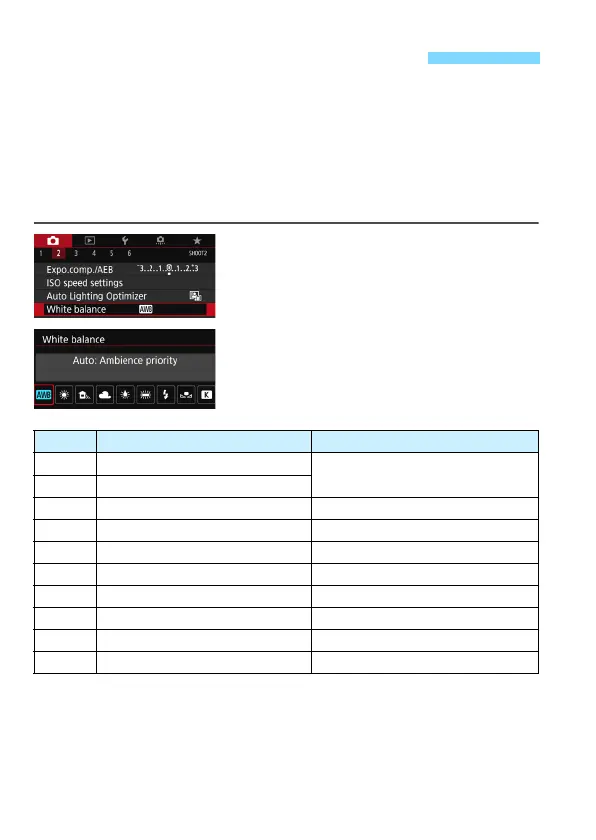
Select [White balance].
Under the [
z
2
] tab, select [
White
balance
], then press <
0
>.
2
Select a white balance setting.
Select the desired setting, then press
<
0
>.
(Approx.)
* Applicable with Speedlites having a color temperature transmission function.
Otherwise, it will be fixed to approx. 6000 K.
3 Setting the White BalanceN
Display Mode Color Temperature (K: Kelvin)
Q Auto (Ambience priority, p.163)
3000-7000
Qw Auto (White priority, p.163)
W Daylight 5200
E Shade 7000
R Cloudy, twilight, sunset 6000
Y Tungsten light 3200
U White fluorescent light 4000
D Flash use Automatically set*
O Custom (p.164) 2000-10000
P Color temperature (p.166) 2500-10000



 To Next Page