138
Single and continuous drive modes are provided.
1
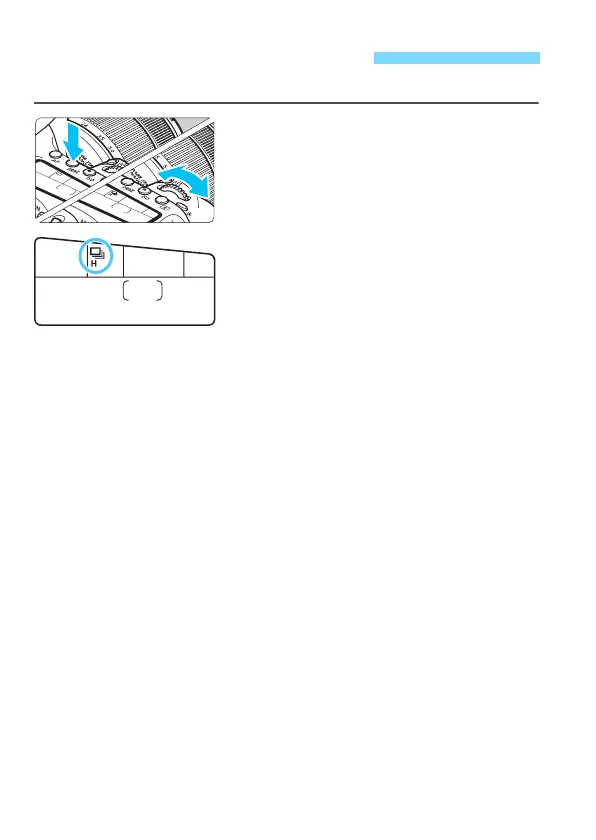
Press the <R> button
(
9
)
.
2
Select the drive mode.
While looking at the LCD panel, turn
the <
6
> or <
5
> dial.
u
:
Single shooting
When you press the shutter button completely, only one shot will
be taken.
o
:
High-speed continuous shooting
(Max. approx. 7.0 shots/sec.*)
While you hold down the shutter button completely, the camera
will shoot continuously.
* During Live View shooting or when [Servo AF] is set, the maximum
speed will be max. approx. 5.0 shots/sec.
i
:
Low-speed continuous shooting
(Max. approx. 3.0 shots/sec.)
While you hold down the shutter button completely, the camera
will shoot continuously.
B
:
Silent single shooting
You can shoot one image at a time while suppressing the camera
noise during viewfinder shooting.
M
:
Silent continuous shooting
(Max. approx. 3.0 shots/sec.)
You can shoot continuously while suppressing the camera noise
during viewfinder shooting.
Q
:
10-sec. self-timer/remote control
k
:
2-sec. self-timer/remote control
For self-timer shooting, see page 140. For remote control
shooting, see page 221.
i Selecting the Drive Mode



 To Next Page