294
Autoexposure control will take effect to suit the scene’s current
brightness.
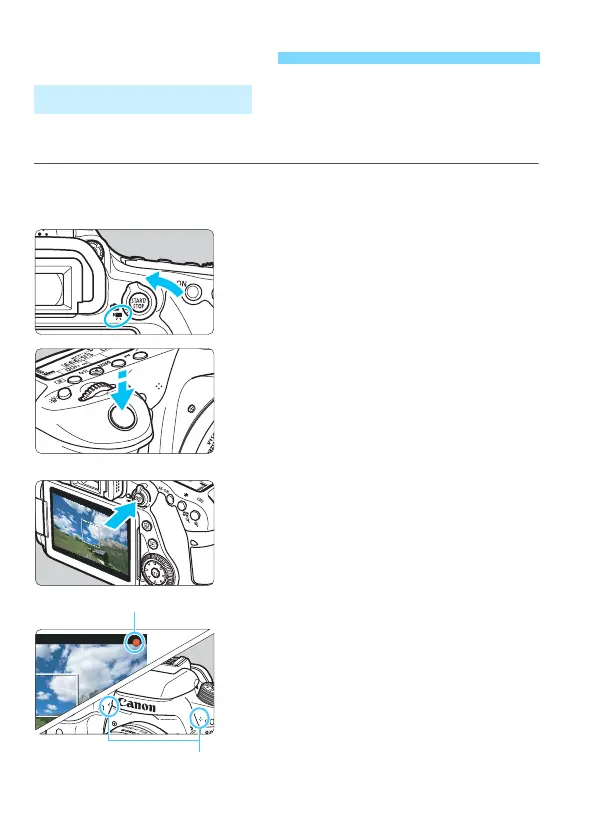
1
Set the Mode Dial to a mode other
than <v> and <a>.
2
Set the Live View shooting/Movie
shooting switch to <k>.
The reflex mirror will make a sound,
then the image will appear on the
LCD monitor.
3
Focus on the subject.
Before shooting a movie, focus with
AF or manual focus (p.276-285, 288).
When you press the shutter button
halfway, the camera will focus with
the current AF method.
4
Shoot the movie.
Press the <
0
> button to start
shooting a movie.
While the movie is being shot, the [
o
]
mark will be displayed on the upper
right of the screen.
Sound will be recorded by the built-in
microphones.
To stop shooting the movie, press the
<
0
> button again.
k Shooting Movies
Autoexposure Shooting
Recording movie
Microphones



 To Next Page