223
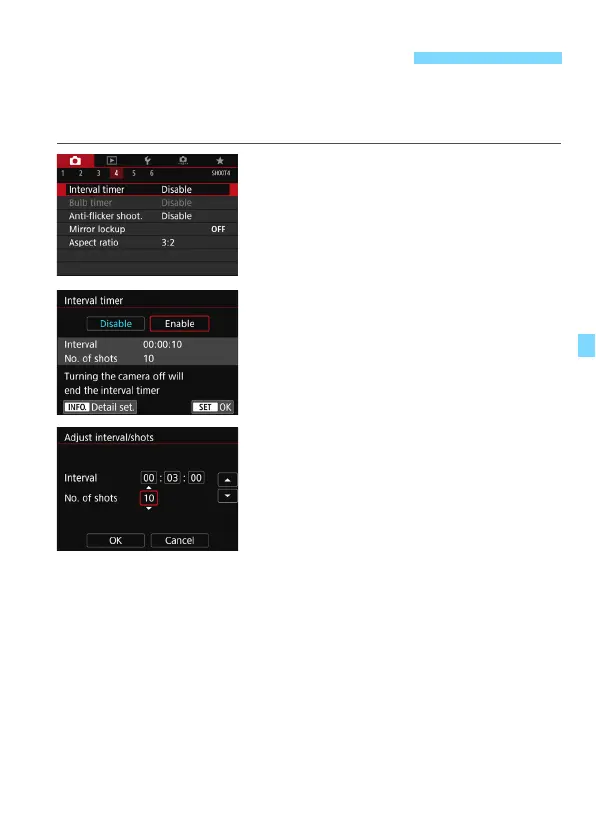
With the interval timer, you can set the shooting interval and the number
of shots. The camera will take a series of single shots at the set interval
until the set number of shots are taken.
1
Select [Interval timer].
Under the [
z
4
] tab (the [
z
2
] tab in
Basic Zone modes), select [
Interval
timer
], then press <
0
>.
2
Select [Enable].
Select [
Enable
], then press the
<
B
> button.
3
Set the shooting interval and
number of shots.
Select the number to be set (hours:
minutes: seconds / number of shots).
Press <
0
> so <
r
> is displayed.
Set the desired number, then press
<
0
>. (Returns to <
s
>.)
Interval
Settable from [
00:00:01
] to [
99:59:59
].
No. of shots
Settable from [
01
] to [
99
]. If you set [
00
], the camera will keep
shooting until you stop the interval timer.
p Interval Timer Shooting



 To Next Page