351
B
: Shooting Information Display
* If manual exposure is used, the shutter speed, aperture, and ISO speed (when
set manually) will be displayed.
*The <
t
> icon will be displayed for video snapshots.
*The <
t
> icon will be displayed for HDR movies.
Highlight Alert
When [
3
3: Highlight alert
] is set to [
Enable
], overexposed,
clipped highlights will blink. To obtain more image detail in the
overexposed, blinking areas, set the exposure compensation to a
negative amount and shoot again.
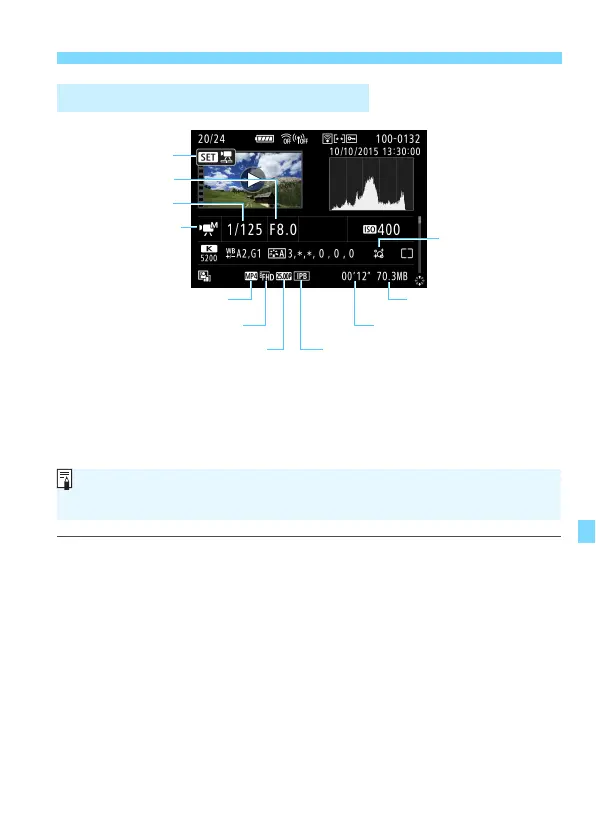
Sample Movie Information Display
Movie shooting mode/
Time-lapse movie
Movie file size
Shutter speed
Compression method
Movie recording size Shooting time, Playback time
Playback
Aperture
Frame rate
Recording format
Creative filters
During movie playback, “*, *” will be displayed for [Fineness] and
[Threshold] of [Picture Style]’s [Sharpness].


 To Next Page