116
You can select the AF operation characteristics to suit the shooting
conditions or subject. In Basic Zone modes, the optimum AF operation
is set automatically for the respective shooting mode.
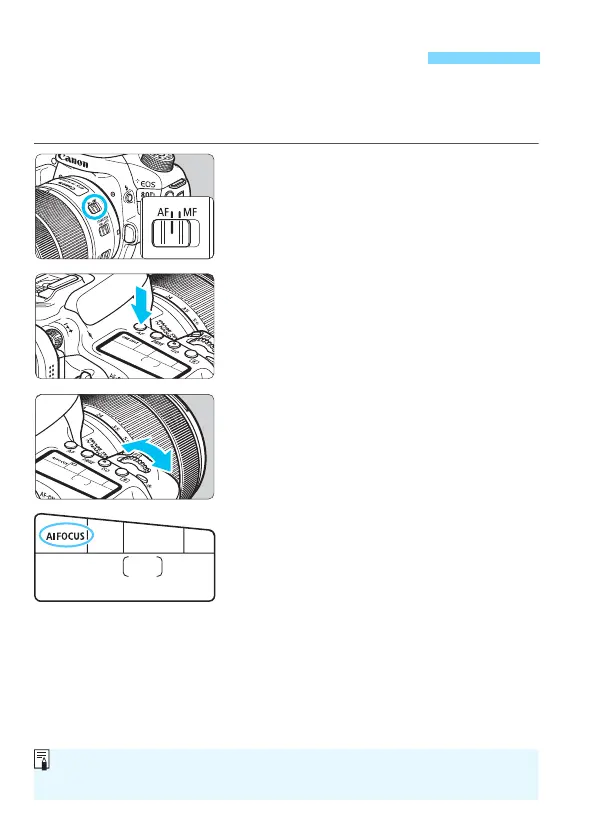
1
Set the lens’s focus mode switch
to <AF>.
2
Turn the Mode Dial to a Creative
Zone mode.
3
Press the <f> button
(
9
).
4
Select the AF operation.
While looking at the LCD panel, turn
the <
6
> or <
5
> dial.
X
: One-Shot AF
9
: AI Focus AF
Z
: AI Servo AF
f: Selecting the AF OperationN
In Creative Zone modes, you can also press the <p> button to
autofocus.



 To Next Page