37
You can use an SD, SDHC, or SDXC memory card (sold separately)
with the camera. SDHC and SDXC memory cards with UHS-I can also
be used. The captured images are recorded onto the card.
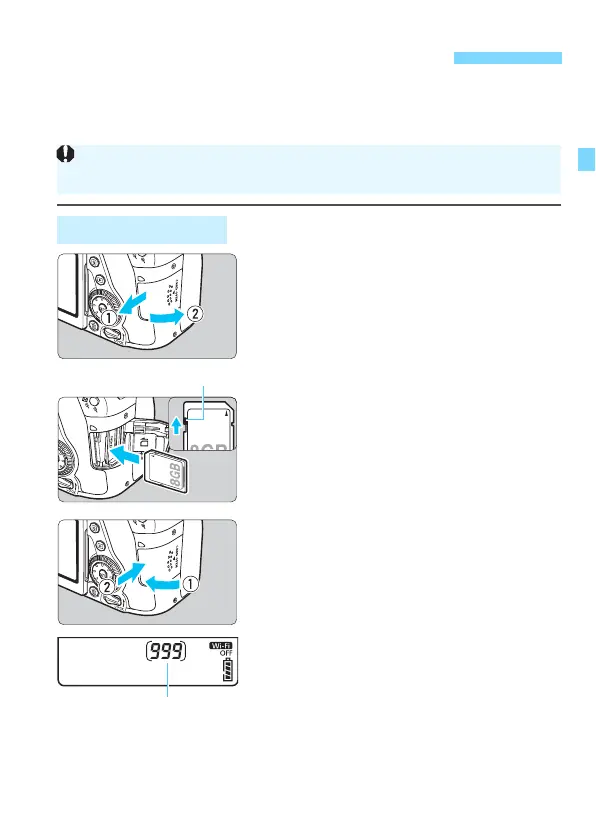
1
Open the cover.
Slide the cover as shown by the
arrows to open it.
2
Insert the card.
As shown by the illustration, face
the card’s label side toward you
and insert it until it clicks in place.
3
Close the cover.
Close the cover and slide it in the
direction shown by the arrows until it
snaps shut.
When you set the power switch to
<1>, the number of possible shots
will be displayed on the LCD panel.
Installing and Removing the Card
Installing the Card
Make sure the card’s write-protect switch is set upward to enable
writing and erasing.



 To Next Page