3
Setting the White Balance
N
166
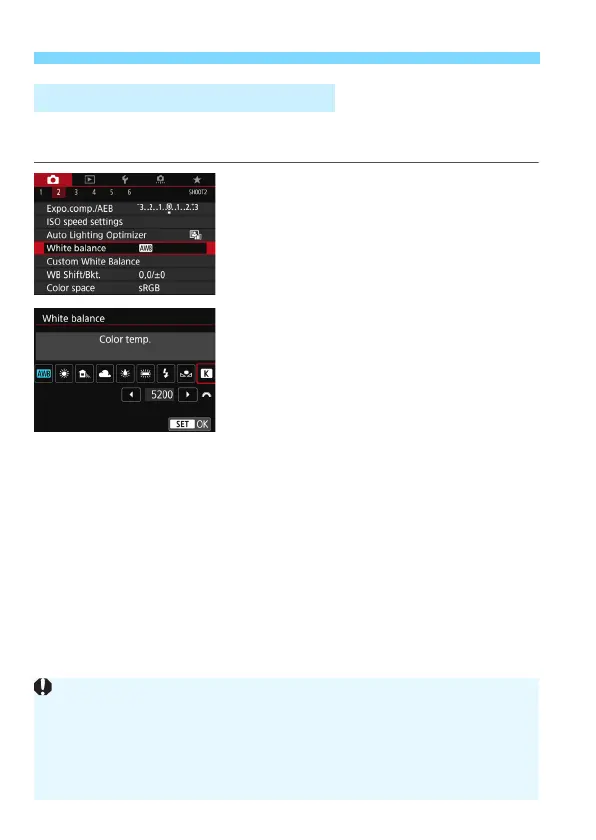
You can set the white balance’s color temperature numerically. This
function is for advanced users.
1
Select [White balance].
Under the [
z
2
] tab, select [
White
balance
], then press <
0
>.
2
Set the color temperature.
Select [
P
].
Turn the <
6
> dial to set the color
temperature, then press <
0
>.
The color temperature can be set
from approx. 2500 K to 10000 K in
100 K increments.
P Setting the Color Temperature
When setting the color temperature for an artificial light source, set white
balance correction (magenta or green) as necessary.
If you set [P] to the reading taken with a commercially-available color
temperature meter, take test shots and adjust the setting to compensate
for the difference between the color temperature meter’s reading and the
camera’s color temperature reading.



 To Next Page