207
Clipped highlights and shadows will be reduced for a high dynamic
range of tones even with high-contrast scenes. HDR shooting is
effective for landscape and still-life shots.
With HDR shooting, three images of different exposures (standard
exposure, underexposure, and overexposure) are captured
continuously for each shot and then merged together
automatically. The HDR image is recorded as a JPEG image.
* HDR stands for High Dynamic Range.
1
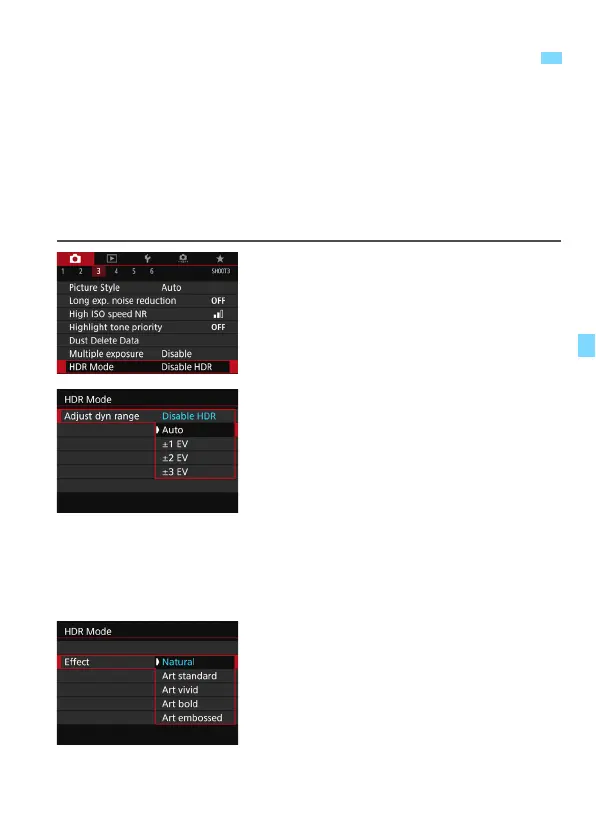
Select [HDR Mode].
Under the [
z
3
] tab, select [
HDR
Mode
], then press <
0
>.
The HDR mode screen will appear.
2
Set [Adjust dyn range].
Select the desired dynamic range
setting, then press <
0
>.
Selecting [
Auto
] will have the
dynamic range set automatically
depending on the image’s overall
tonal range.
The higher the number, the wider the
dynamic range will be.
To exit HDR shooting, select [
Disable
HDR
].
3
Set [Effect].
Select the desired effect, then press
<
0
>.
w
:
HDR (High Dynamic Range) Shooting
N



 To Next Page