314
You can shoot movies by reducing the clipped highlight details of bright
areas even in high-contrast scenes. This function is settable in Basic
Zone modes (except the <
v
> mode).
HDR movie can be set when the MP4 format is set and the recording
size is
L6X
(NTSC) or
L5X
(PAL).
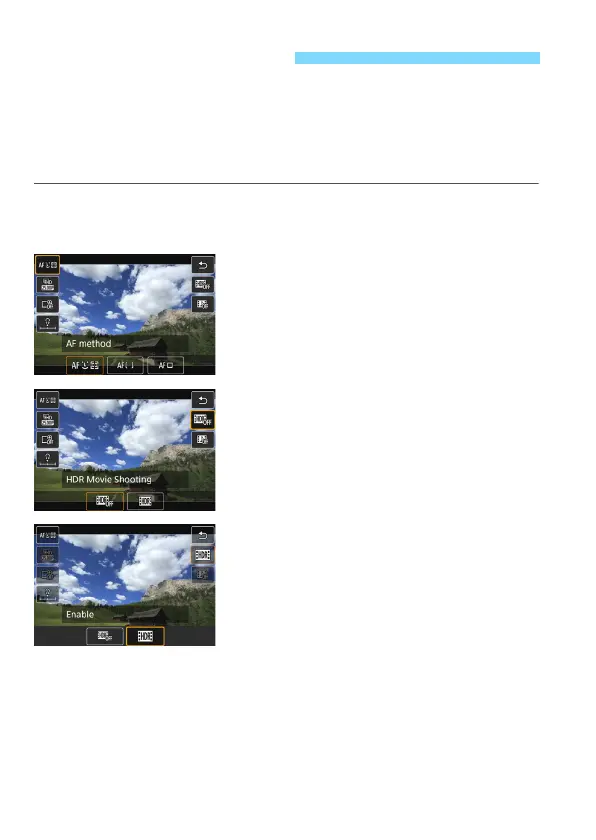
1
Set the Mode Dial to a Basic Zone
mode.
2
Press the <Q> button
(
7
).
The Quick Control screen will appear.
3
Select [4].
Press the <
W
> <
X
> keys to select
[
4
] (HDR Movie Shooting) on the
screen’s right side.
4
Select [Enable].
For recording time and file sizes, see
the table on page 309.
Shooting HDR Movies



 To Next Page