151
i
: Setting the ISO Speed for Still Photos
N
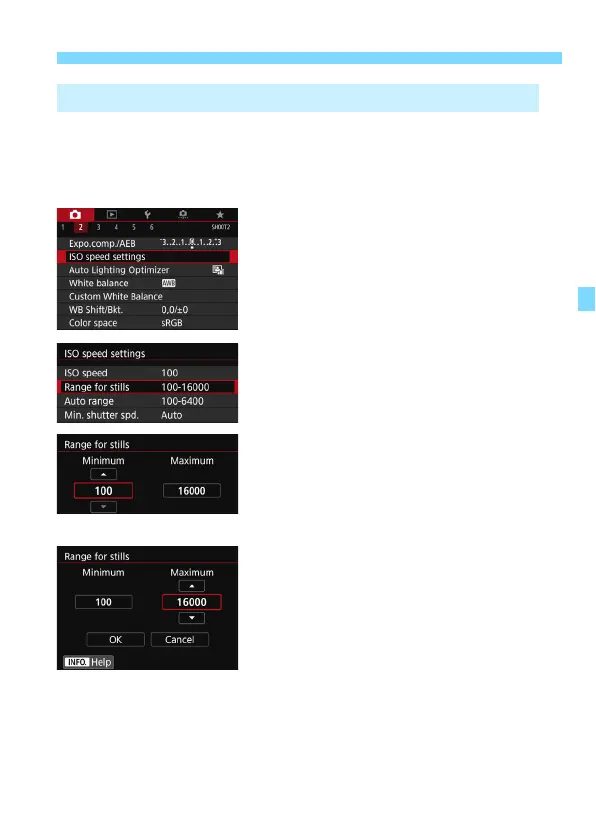
You can set the manually-settable ISO speed range (minimum and
maximum limits). You can set the minimum limit within ISO 100 to ISO
16000, and the maximum limit within ISO 200 to H (equivalent to ISO
25600).
1
Select [ISO speed settings].
Under the [
z
2
] tab, select [
ISO
speed settings
], then press <
0
>.
2
Select [Range for stills].
3
Set the minimum limit.
Select the minimum limit box, then
press <
0
>.
Select the ISO speed, then press
<
0
>.
4
Set the maximum limit.
Select the maximum limit box, then
press <
0
>.
Select the ISO speed, then press
<
0
>.
5
Select [OK].
3 Setting the Manually-Settable ISO Speed Range



 To Next Page