X
Editing a Movie’s First and Last Scenes
368
3
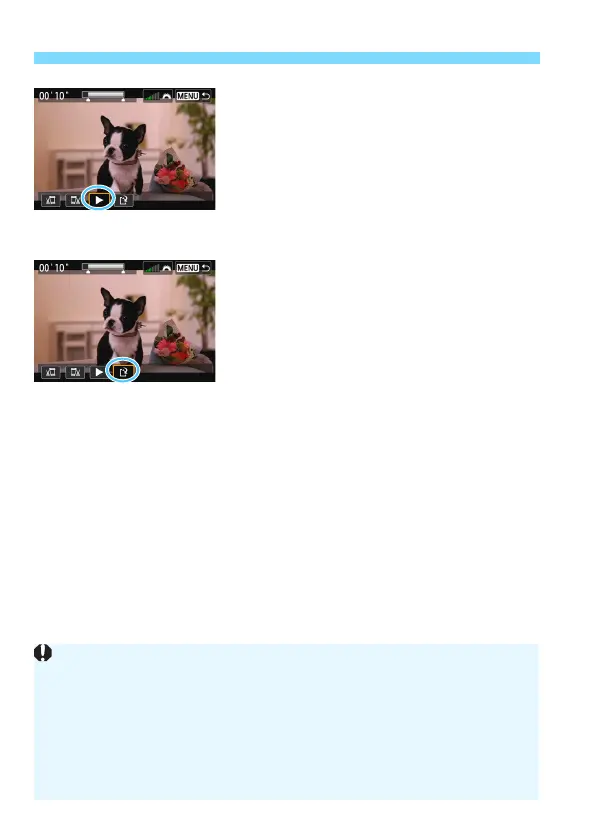
Check the edited movie.
Select [
7
] and press <
0
> to play
back the edited movie.
To change the editing, go back to step
2.
To cancel the editing, press the
<
M
> button, then select [
OK
] on
the confirmation dialog.
4
Save the edited movie.
Select [
W
], then press <
0
>.
The save screen will appear.
To save it as a new movie, select
[
New file
]. To save it and overwrite
the original movie file, select
[
Overwrite
], then press <
0
>.
On the confirmation dialog, select
[
OK
], then press <
0
> to save the
edited movie and return to the movie
playback screen.
Since the editing is performed in approx. 1-sec. increments (position
indicated by [Z] on the top of the screen), the actual position where the
movie is edited may differ from the position you specified.
If the card does not have enough free space, [New file] will not be
available.
When the battery level is low, movie editing is not possible. Use a fully-
charged battery.
Movies shot with another camera cannot be edited with this camera.



 To Next Page