7
Quick Start Guide
6
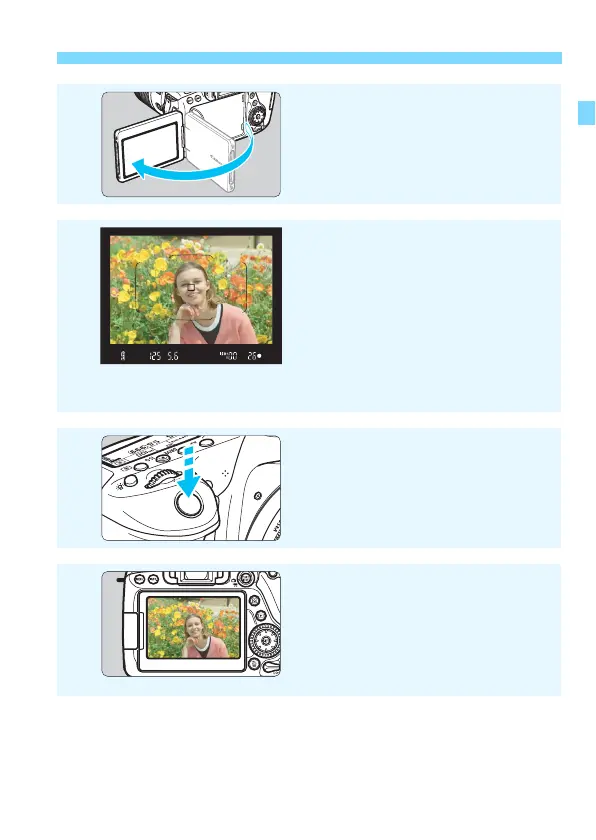
Flip out the LCD monitor
(p.40)
.
When the LCD monitor displays the
date/time/zone setting screens, see
page 43.
7
Focus on the subject
(p.50)
.
Look through the viewfinder and
aim the viewfinder center over the
subject.
Press the shutter button halfway,
and the camera will focus on the
subject.
If necessary, the built-in flash will be
raised.
8
Take the picture
(p.50)
.
Press the shutter button completely
to take the picture.
9
Review the picture.
The captured image will be
displayed for approx. 2 sec. on the
LCD monitor.
To display the image again, press
the <x> button (p.346).
To shoot while looking at the LCD monitor, see “Live View
Shooting” (p.255).
To view the images captured so far, see “Image Playback” (p.346).
To delete an image, see “Erasing Images” (p.378).



 To Next Page