22
Basic Guide
Before Use
Advanced Guide
1
Camera Basics
2
Auto Mode /
Hybrid Auto Mode
3
Other Shooting Modes
Tv, Av, and M Mode
6
Playback Mode
7
Wi-Fi Functions
8
Set-Up Menu
9
Accessories
10
Appendix
Index
4
P Mode
5
Tv, Av, M, and C Modes
Using a Tripod
Use the tripod foot included with the adapter to attach the camera to a
tripod. Do not use the camera’s tripod socket.
● Attach the tripod foot to the adapter. Use
the turning dial to secure it rmly in place.
● Attach the tripod to the socket of the
tripod foot.
● If using an EF lens with a tripod foot (such as super telephoto
lenses), attach the tripod foot socket directly to the tripod.
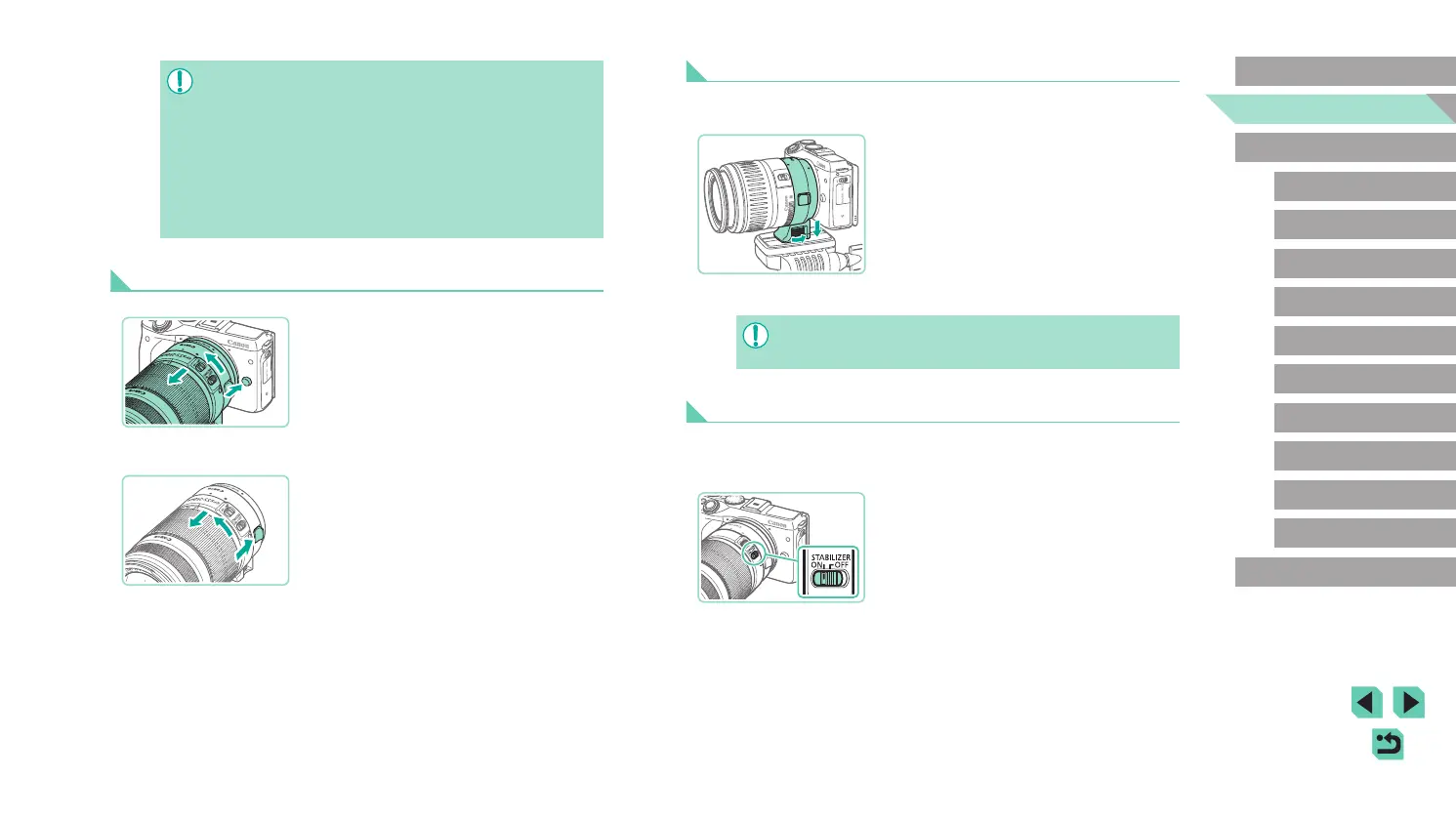
Stabilizing the Image
If using a lens with an image stabilization function, you can compensate
for small camera movements (shaking) that occur while shooting. Lenses
with built-in image stabilization have “IS” in their names.
● Move the lens’s image stabilizer switch to
the [ON] position.
● If using a lens that is heavier than the camera, make sure support
is provided for the lens while carrying and shooting.
● Using adapters may extend the minimum shooting distance of the
lens or change its maximum magnication ratio or shooting range.
● If the front part (focusing ring) of the lens rotates during
autofocusing, do not touch the rotating part.
● The focus preset function on some super telephoto lenses is
unavailable. Also, the power zoom function of lens EF35–80mm
f/4–5.6 PZ is unavailable.
Detaching a Lens
1
Detach the adapter.
● Make sure the camera is off.
● While pressing the lens release button,
turn the adapter (with lens attached) as
shown by the arrow.
● Turn the adapter until it stops and then
detach it.
2
Detach the lens.
● While pushing down on the detach
lever on the adapter, turn the lens
counterclockwise.
● Turn the lens until it stops and then
detach it.
● Attach the lens cap to the detached lens.















 To Next Page