49
Advanced Guide
Basic Guide
1
Camera Basics
2
Auto Mode /
Hybrid Auto Mode
3
Other Shooting Modes
Tv, Av, and M Mode
6
Playback Mode
7
Wi-Fi Functions
8
Set-Up Menu
9
Accessories
10
Appendix
Index
4
P Mode
5
Tv, Av, M, and C Modes
Before Use
Saving/Loading Settings
You can save your favorite settings and reload them later for repeated
use.
Saving Settings
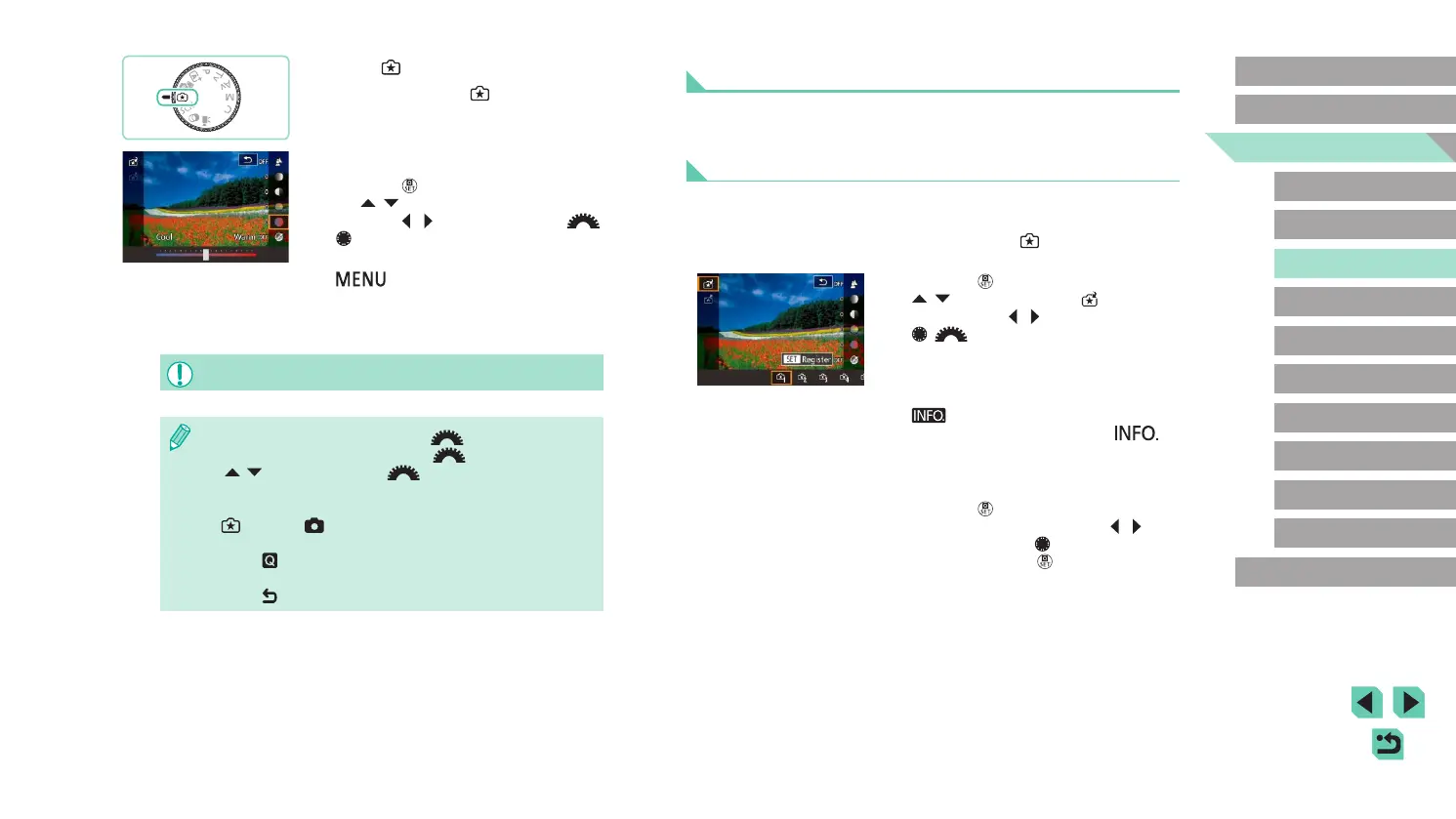
● Follow steps 1 and 2 in “Shooting with
Your Favorite Settings (Creative Assist)”
(
=
49) to select [ ] and set up your
preferences.
● Press the [
] button, press the
[ ][ ] buttons to choose [ ], and
then press the [ ][ ] buttons or turn the
[ ][ ] dials to select where to save
your settings.
● You can save up to six sets of settings.
● If you select a previously saved set,
[
Compare] will be displayed. In
this mode, when you press the [ ]
button, the previously saved settings
will be displayed on-screen, letting you
compare them with your new settings.
● Press the [
] button; a conrmation
screen is displayed. Press the [ ][ ]
buttons or turn the [ ] dial to select [OK],
and then press the [ ] button.
1
Enter [ ] mode.
● Set the mode dial to [ ].
2
Congure the settings.
● Press the [ ] button, and then press
the [ ][ ] buttons to choose the option.
Press the [ ][ ] buttons or turn the [ ]
[ ] dials to change options (
=
31).
● Once everything is set up, press the
[
] button to return to the shooting
screen.
3
Shoot.
● When shooting with ash, [Background] cannot be set.
● Adjust the values of the options with [ ] shown next to them
in the shooting screen by turning the [
] dial. Press the
[
][ ] buttons to move the [ ], and select the option to
adjust.
● Your settings are reset when the power is turned off, but set [Keep
setting] in [ 4] to [Enable] to save your settings even after
turning off the camera.
● Touch [
] at the upper right of the screen to show settings. You
can also touch options in the settings screen to adjust them.
Touch [
] to return to the shooting screen.















 To Next Page