28
Advanced Guide
Basic Guide
1
Camera Basics
2
Auto Mode /
Hybrid Auto Mode
3
Other Shooting Modes
Tv, Av, and M Mode
6
Playback Mode
7
Wi-Fi Functions
8
Set-Up Menu
9
Accessories
10
Appendix
Index
4
P Mode
5
Tv, Av, M, and C Modes
Before Use
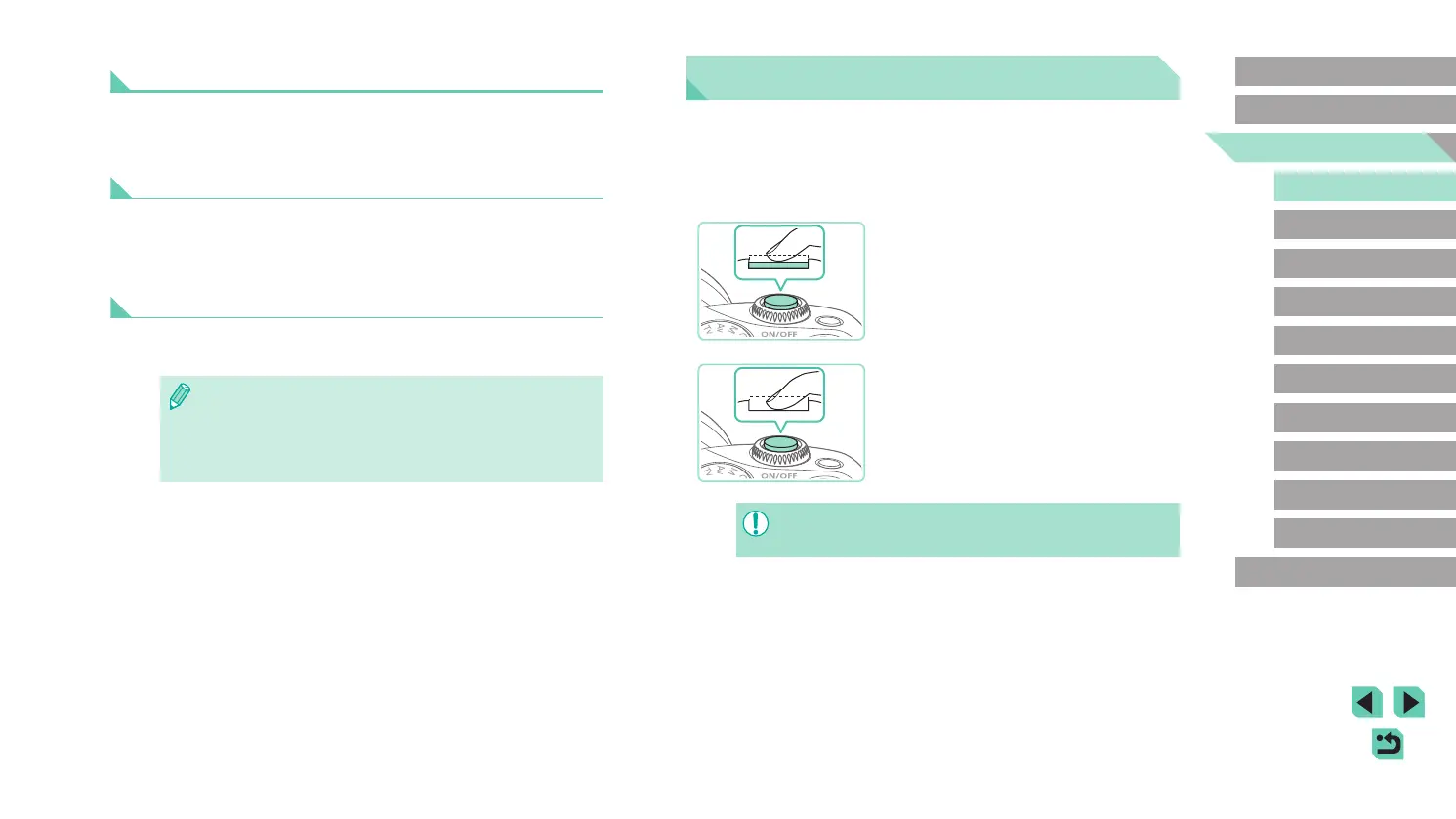
Shutter Button
To ensure that you focus on the intended subject when shooting, rst
lightly press the shutter button halfway down to focus, and then press the
button all the way down to shoot.
In this manual, shutter button operations are described as pressing the
button halfway or all the way down.
1
Press halfway. (Press lightly to
focus.)
● Press the shutter button halfway. The
camera beeps twice, and frames are
displayed around image areas in focus.
2
Press all the way down. (From the
halfway position, press fully to
shoot.)
● The shot is taken.
● Your intended subject may be out of focus if you shoot without
initially pressing the shutter button halfway.
Power-Saving Features (Auto Power Down)
As a way to conserve battery power, the camera automatically deactivates
the screen (Display Off) and then turns itself off after a specic period of
inactivity.
Power Saving in Shooting Mode
The screen is automatically deactivated after about one minute of
inactivity. In about two more minutes, the camera turns itself off. To
activate the screen and prepare for shooting when the screen is off but the
(rear) indicator lamp is still on, press the shutter button halfway (
=
28).
Power Saving in Playback Mode
The camera turns itself off automatically after about ve minutes of
inactivity.
● You can deactivate Auto Power Down and adjust the timing of
Display Off, if you prefer (
=
140).
● Power saving is not active while the camera is connected to
other devices via Wi-Fi (
=
115) or connected to a computer
(
=
159).















 To Next Page