115
Advanced Guide
Basic Guide
1
Camera Basics
2
Auto Mode /
Hybrid Auto Mode
3
Other Shooting Modes
Tv, Av, and M Mode
6
Playback Mode
7
Wi-Fi Functions
8
Set-Up Menu
9
Accessories
10
Appendix
Index
4
P Mode
5
Tv, Av, M, and C Modes
Before Use
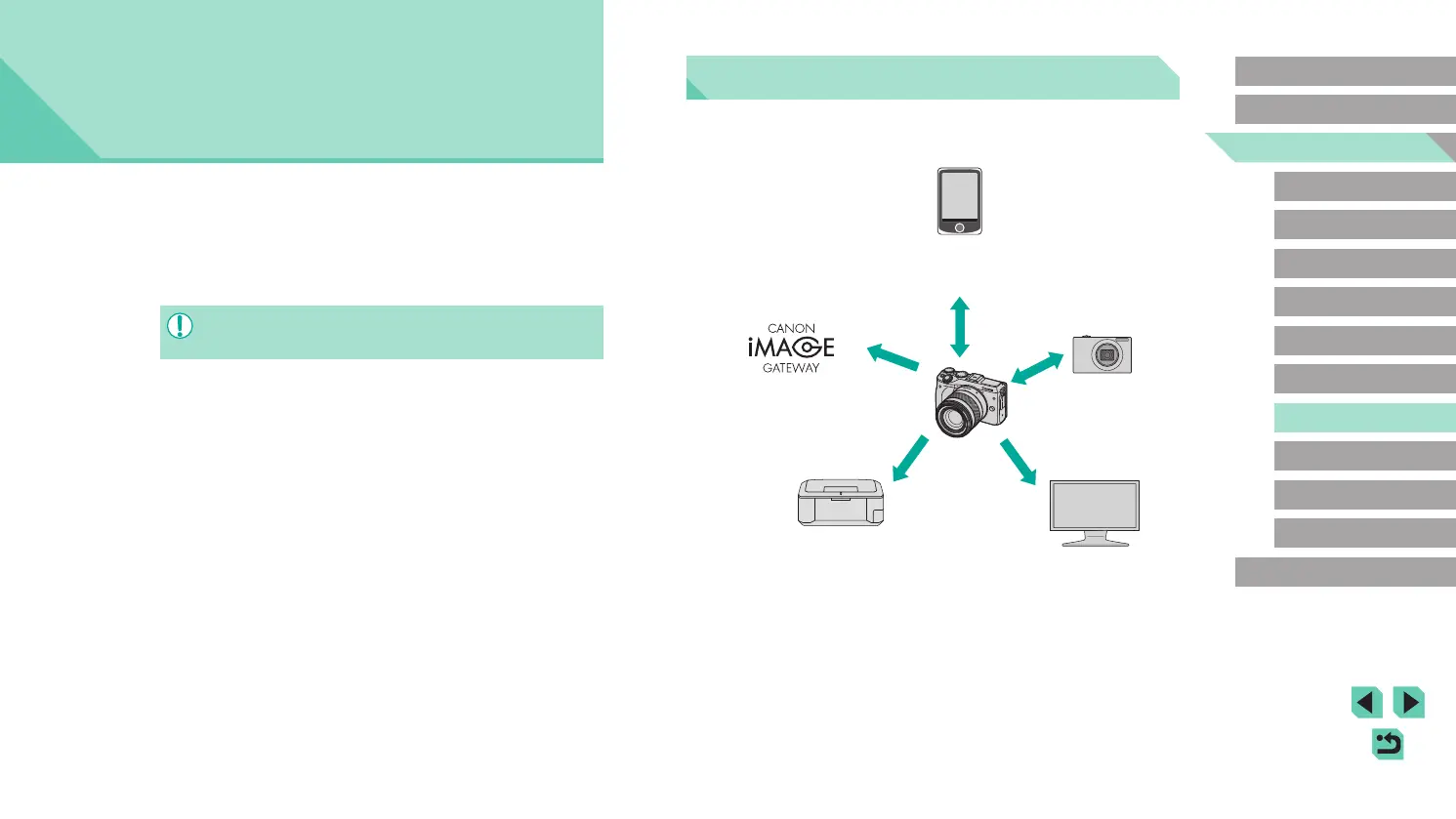
Available Wi-Fi Features
You can send and receive images and control the camera remotely by
connecting it to these devices and services via Wi-Fi.
Smartphones and tablet devices *
1
● Importing images (
=
116)
● Remote shooting (
=
133)
(CANON iMAGE GATEWAY *
2
)
Web services
● Saving and sharing images (
=
122)
● Sending to PC (
=
131)
Canon Wi-Fi-compatible
cameras
● Converting images
(
=
129)
Printer *
3
● Printing images (
=
127)
DLNA-compatible media
players *
4
● Viewing images (
=
126)
*1 For convenience in this manual, smartphones, tablets and other compatible
devices are referred to collectively as “smartphones”.
*2 CANON iMAGE GATEWAY is Canon’s online photo service.
*3 The printer must support PictBridge (supporting DPS over IP), which allows
direct photo printing via Wi-Fi.
*4 DLNA stands for Digital Living Network Alliance.
7
Wi-Fi Functions
Send images wirelessly from the camera to a variety of compatible
devices, and use the camera with Web services
● Before using the Wi-Fi function, ensure that you read the “Wi-Fi
(Wireless LAN) Precautions” (
=
200).






 To Next Page