89
Advanced Guide
Basic Guide
1
Camera Basics
2
Auto Mode /
Hybrid Auto Mode
3
Other Shooting Modes
Tv, Av, and M Mode
6
Playback Mode
7
Wi-Fi Functions
8
Set-Up Menu
9
Accessories
10
Appendix
Index
4
P Mode
5
Tv, Av, M, and C Modes
Before Use
● If adding a function to the [ ] button,
[ ] ([ ] button), or movie button, press
the [ ][ ][ ][ ] buttons or turn the
[ ][ ] dials to select the function.
● Press the [
] button to return to the
previous menu screen.
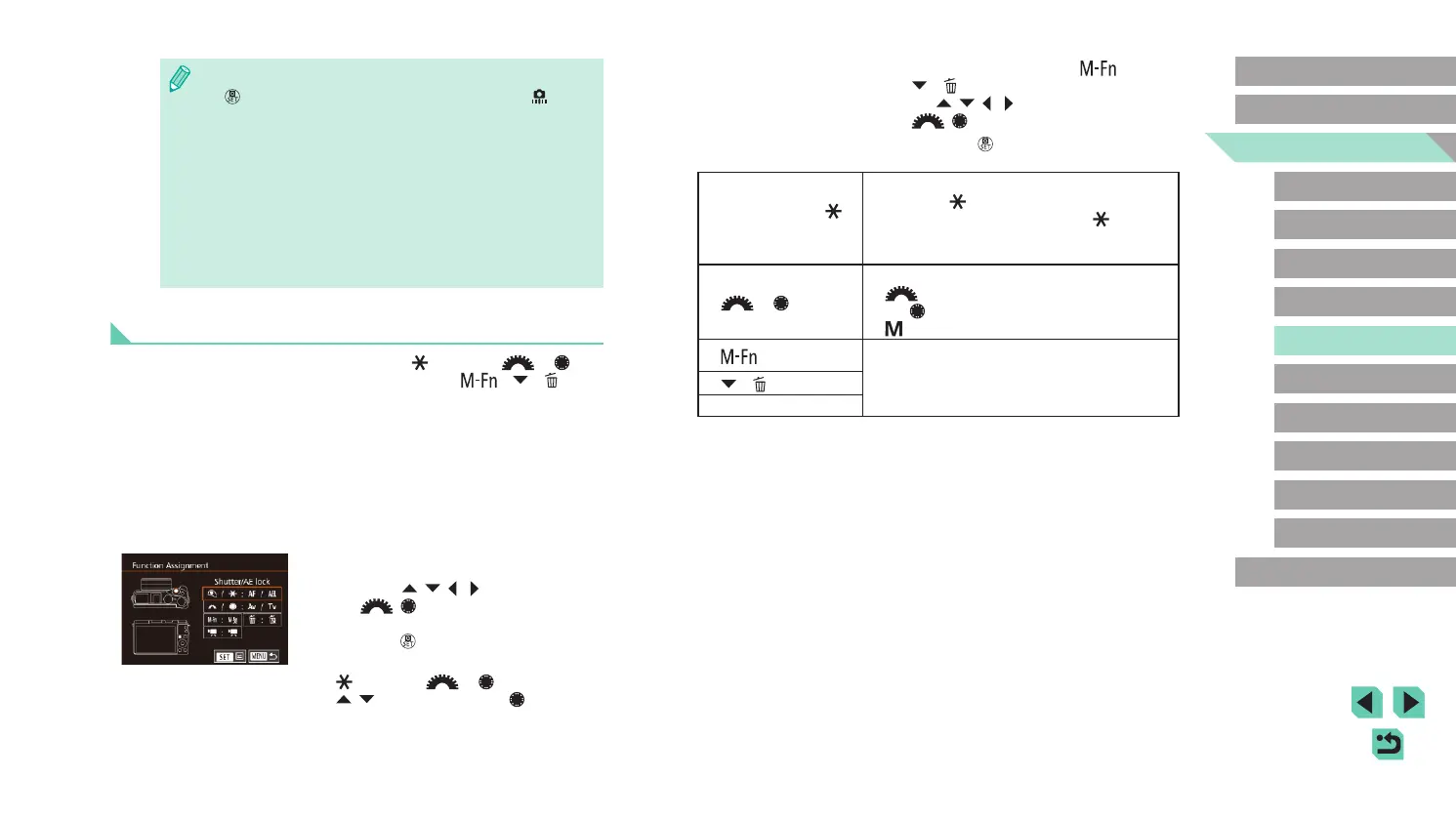
Shutter button / [ ]
button
Set to [AE/AF, no AE lock], and you can
press the [
] button to focus. In this case,
AE lock is not applied when the [ ] button is
pressed. Using the touch shutter, the camera
takes a picture without focusing.
[
] / [ ] dials
Set to [Tv/Av], and you can use the
[
] dial to adjust the shutter speed and
the [ ] dial to adjust the aperture value in
[ ] mode.
[
] button
Pressing the button will trigger the assigned
action.
[
] ([ ] button)
Movie button
● Choose [Clear All Custom Func. (C.Fn)] in step 1 and press the
[
] button to remove all the changed functions on the [ 1] tab
and restore it to default.
● Even with [ISO expansion] set to [1:On], [H] cannot be selected if
[Highlight tone priority] is set to [D+] (
=
64).
● Safety shift is disabled when the ash res.
● The AF-assist beam is light from the lamp (front) that turns on
when the shutter button is pressed halfway in dark areas to help
with focusing.
● [Retract lens on power off] is supported by the following lens.
- EF 40mm f/2.8 STM
- EF-S 24mm f/2.8 STM
Adding Functions to Buttons and Dials
You can change the function of the shutter / [ ] button or [ ] / [ ]
dial, as well as add frequently used functions to the [ ], [ ] ([ ]), and
movie buttons.
1
Access the function assignment
screen.
● Follow steps 1 – 2 in “Setting Up
Advanced Camera Functions” (
=
88)
and choose [Custom Controls] from
[Other].
2
Assign functions to controls.
● Press the [ ][ ][ ][ ] buttons or turn
the [ ][ ] dials to select the dial or
button to assign a function to, and then
press the [ ] button.
● If changing the function of the shutter /
[
] button or [ ] / [ ] dial, press the
[ ][ ] buttons or turn the [ ] dial to
select the function.















 To Next Page