32
Advanced Guide
Basic Guide
1
Camera Basics
2
Auto Mode /
Hybrid Auto Mode
3
Other Shooting Modes
Tv, Av, and M Mode
6
Playback Mode
7
Wi-Fi Functions
8
Set-Up Menu
9
Accessories
10
Appendix
Index
4
P Mode
5
Tv, Av, M, and C Modes
Before Use
4
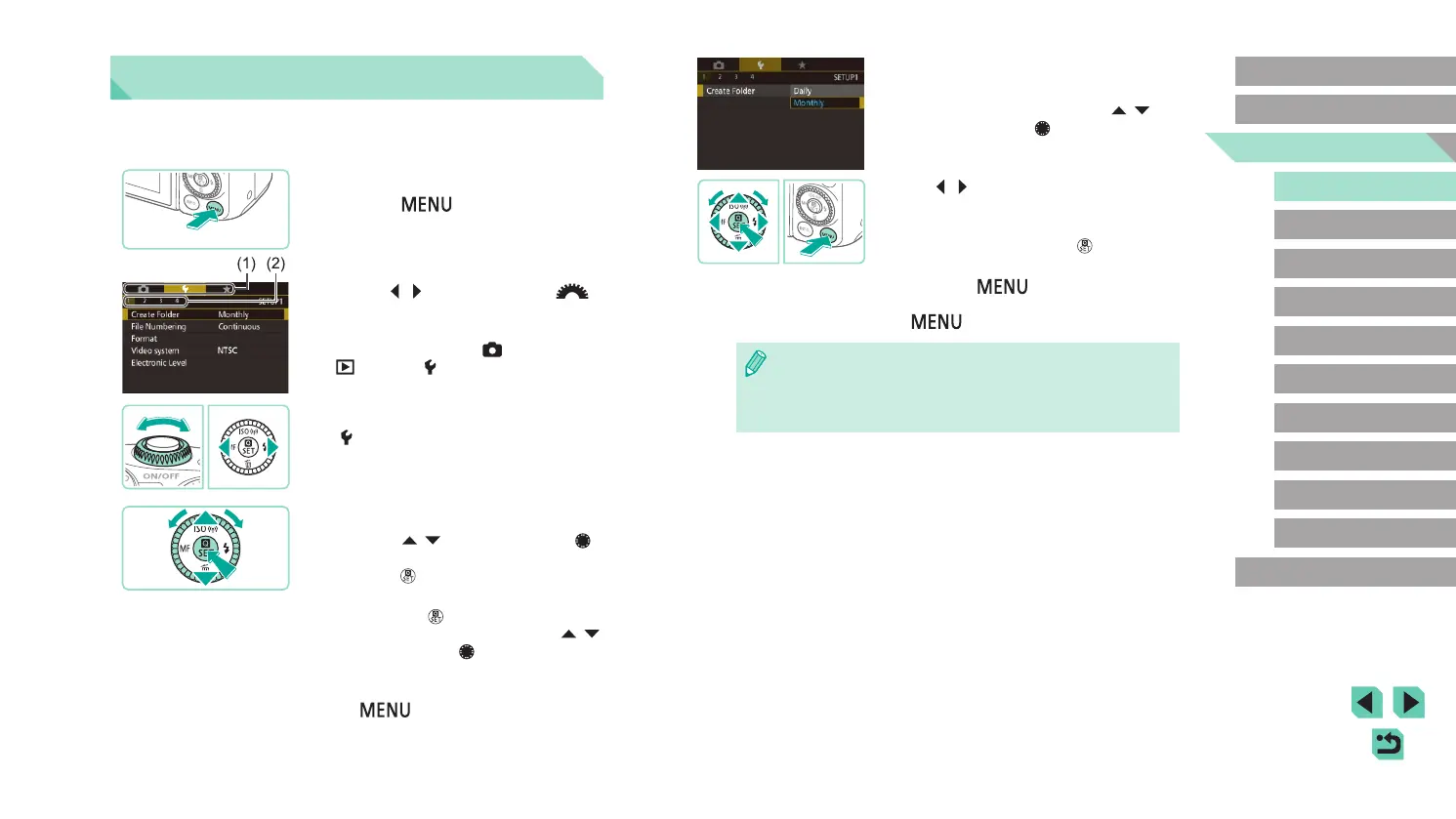
Choose an option.
● For options with a vertical menu of
selections available, press the [ ][ ]
buttons or turn the [ ] dial to choose a
selection.
● For options with a horizontal menu, press
the [
][ ] buttons to choose an option.
5
Finish the setup process.
● When nished, press the [ ] button to
return to option selection.
● Press the [
] button to return to the
screen displayed before you pressed the
[ ] button in step 1.
● To undo any accidental setting changes, you can restore the
camera’s default settings (
=
145).
● Available menu items vary depending on the selected shooting or
playback mode (
=
181 –
=
188).
Using the Menu Screen
Congure a variety of camera functions through the menu screen as
follows.
1
Access the menu screen.
● Press the [ ] button.
2
Choose a tab.
● Use the [ ][ ] buttons or turn the [ ]
dial to select a tab.
● There are two kinds of tabs: System tabs
(1) related to shooting [
], playback
[ ], settings [ ] and more, and the
individual page tabs (2) under each
system tab. This guide refers to both tab
types together in the text (example: the
“[ 1] tab”).
3
Choose a menu item.
● Press the [ ][ ] buttons or turn the [ ]
dial to choose a menu item, and then
press the [ ] button.
● For menu items with options not shown,
rst press the [
] button to switch
screens, and then either press the [ ][ ]
buttons or turn the [ ] dial to select the
menu item.
● To return to the previous screen, press
the [
] button.















 To Next Page