26
Basic Guide
Before Use
Advanced Guide
1
Camera Basics
2
Auto Mode /
Hybrid Auto Mode
3
Other Shooting Modes
Tv, Av, and M Mode
6
Playback Mode
7
Wi-Fi Functions
8
Set-Up Menu
9
Accessories
10
Appendix
Index
4
P Mode
5
Tv, Av, M, and C Modes
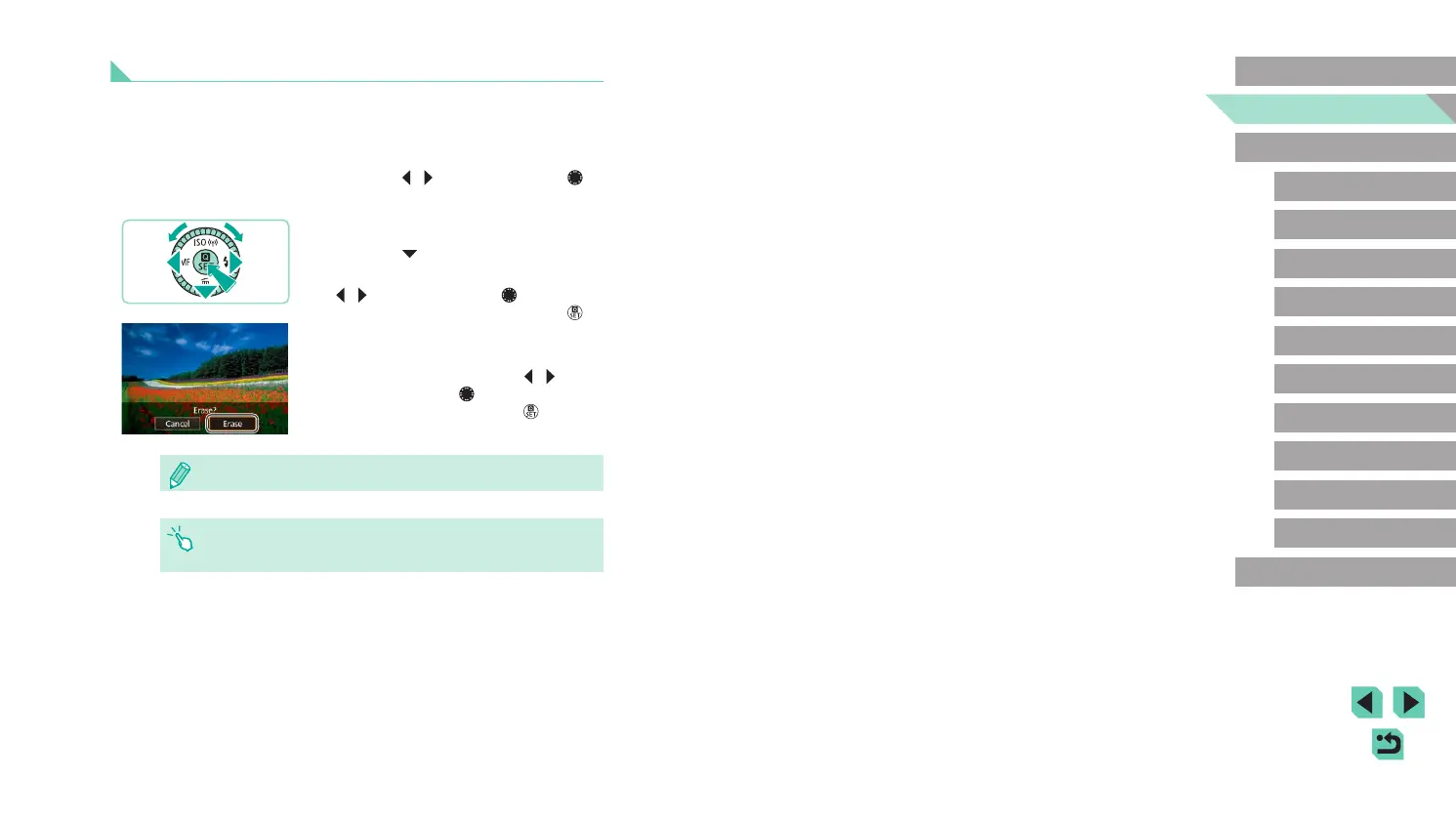
Erasing Images
You can choose and erase unneeded images one by one. Be careful
when erasing images, because they cannot be recovered.
1
Choose an image to erase.
● Press the [ ][ ] buttons or turn the [ ]
dial to choose an image.
2
Erase the images.
● Press the [ ] button.
● After [Erase?] is displayed, press the
[
][ ] buttons or turn the [ ] dial to
choose [Erase], and then press the [ ]
button.
● The current image is now erased.
● To cancel erasure, press the [
][ ]
buttons or turn the [ ] dial to choose
[Cancel], and then press the [ ] button.
● You can choose multiple images to erase at once (
=
105).
● You can also erase the current image by touching [Erase] on the
screen in step 2.















 To Next Page