3
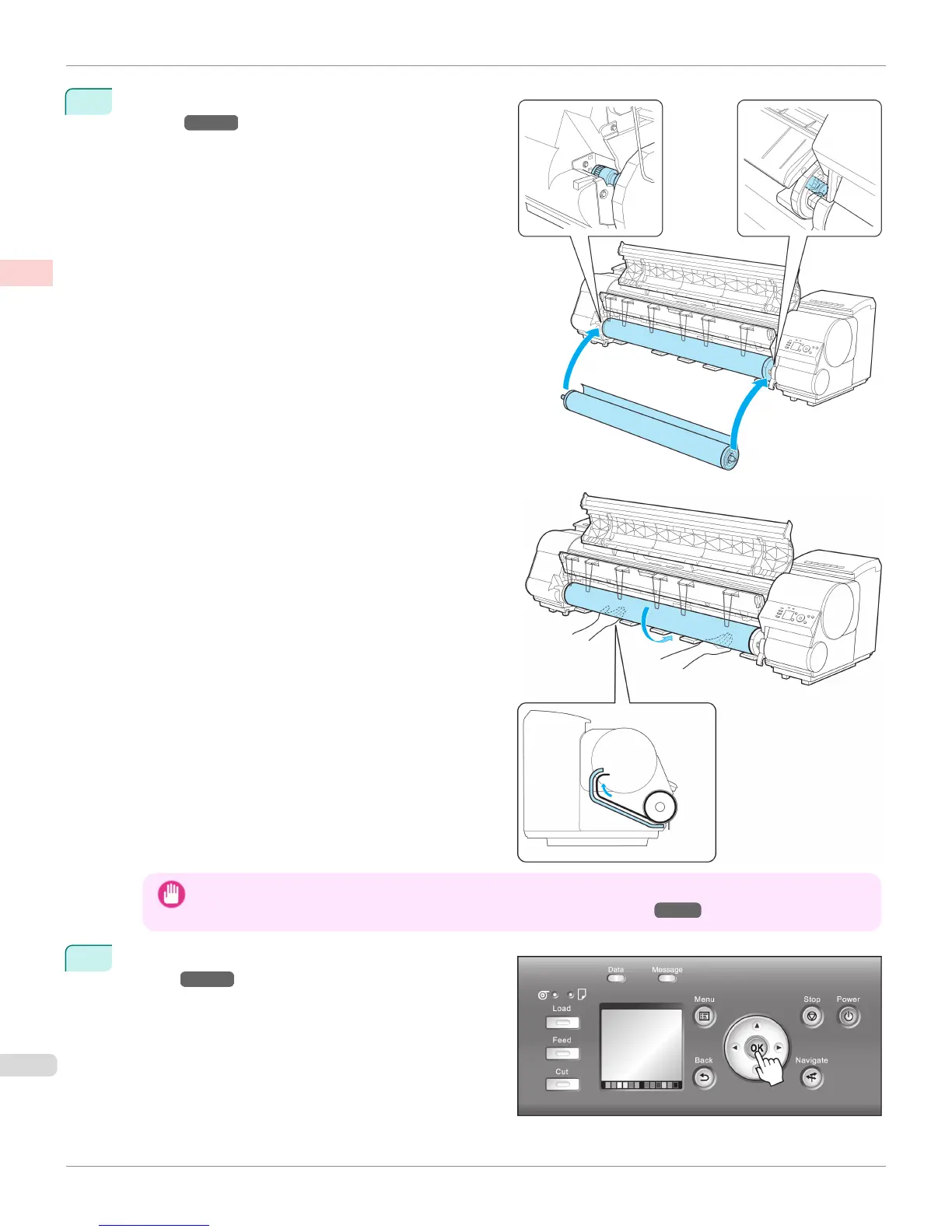
Load the roll in the printer. (See "Loading Rolls in the
Printer.")
→P.533
Important
• When printing without borders, definitely set the blue Switch on the platen to the ● side. If the switch is set incorrect-
ly, print quality may deteriorate. (See "Setting the Blue Switch on the Platen.") →P.893
4
Select the type of paper. (See "Changing the Type of
Paper.")
→P.537
Loading and Printing on Rolls
iPF9400
User's Guide
Basic Printing Workflow Printing procedure
24


 To Next Page
 Loading...











