COPYRIGHT
©
2000 CANON INC. 2000 2000 2000 2000 CANON iR5000/iR6000 REV.0 JULY 2000
CHAPTER 3 IMAGE PROCESSING SYSTEM
3-14 R
[1]
[2]
[2]
[2]
[2]
[3]
[4]
6. Reader Controller PCB
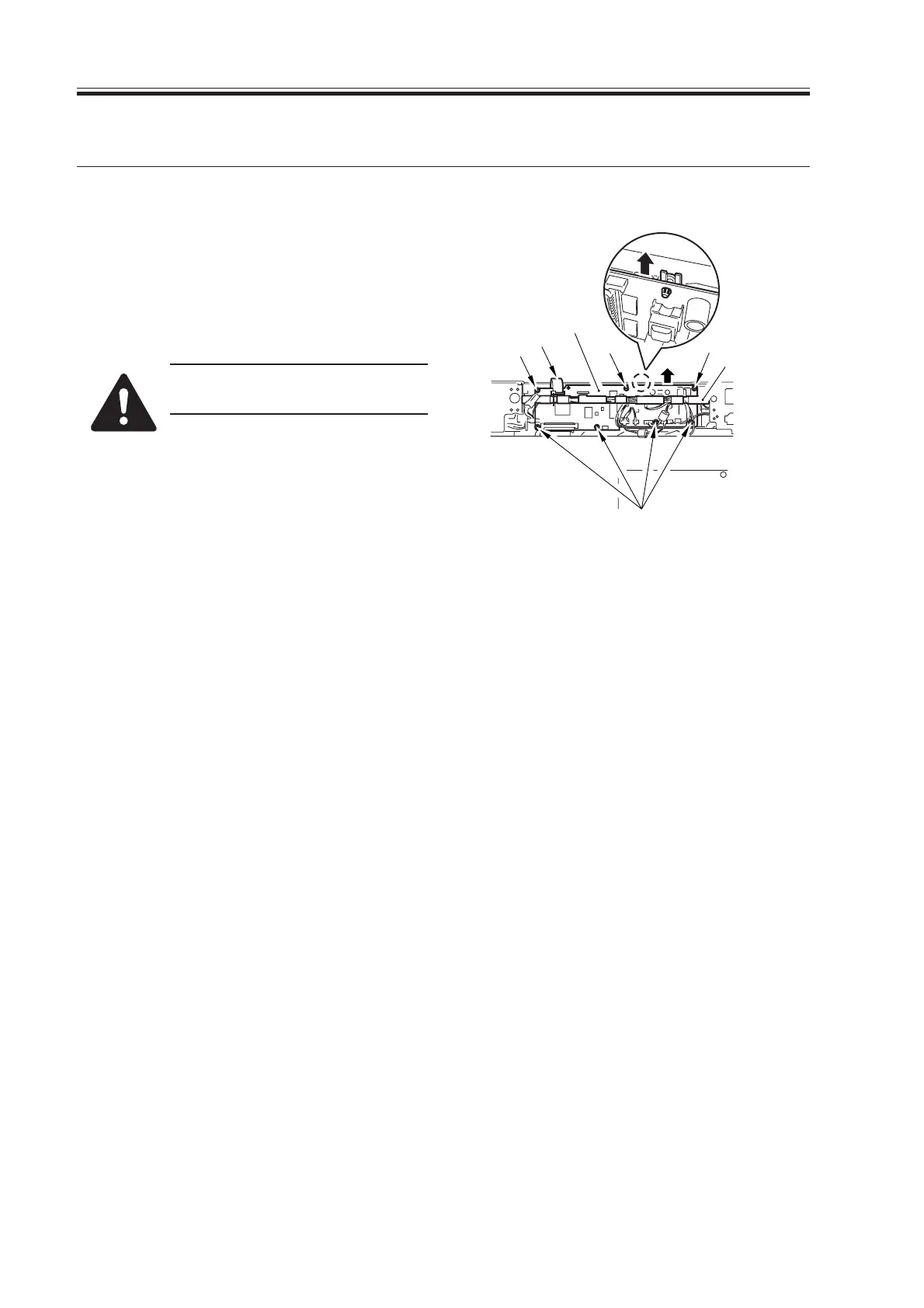
6.1 Removing the Reader Controller PCB
1) Remove the reader rear cover.
2) Disconnect tje nine connectors, and re-
move the flat cable [1], seven screws
[2], and cable guide [3]; then, detach
the reader controller PCB [4].
Take care not to damage the flat
cable removed in step 2).
F03-601-01
6.2 When Replacing the Reader Controller PCB
See the Troubleshooting Manual: Chap.3>7. Electrical Parts.
Download Free Service Manual at http://printer1.blogspot.com



 To Next Page