COPYRIGHT
©
2000 CANON INC. 2000 2000 2000 2000 CANON iR5000/iR6000 REV.0 JULY 2000
CHAPTER 1 GENERAL DESCRIPTION
1-27 S
6. Routine Maintenance by the User
6.1 Cleaning
Advise the user to clean the following at least once a week:
No. Remarks
1 Copyboard glass Wipe with a moist cloth; then, dry wipe. Reader unit
2 Wire cleaning Execute ‘wire clean’ in user mode.
3 Feeder cleaning Execute ‘feeder clean’ in user mode.
4 Roller assemblies Wipe with a moist cloth; then, dry wipe. ADF
5 Sheet assemblies Wipe with a moist cloth; then, dry wipe. ADF
6 Platen guide Wipe with a moist cloth; then, dry wipe. ADF
7 White plate Wipe with a moist cloth; then, dry wipe. ADF
(copyboard cover)
8 Read glass Wipe with a moist cloth; then, dry wipe. Reader unit
9 Copyboard glass Wipe with a moist cloth; then, dry wipe. Reader unit
T01-601-01
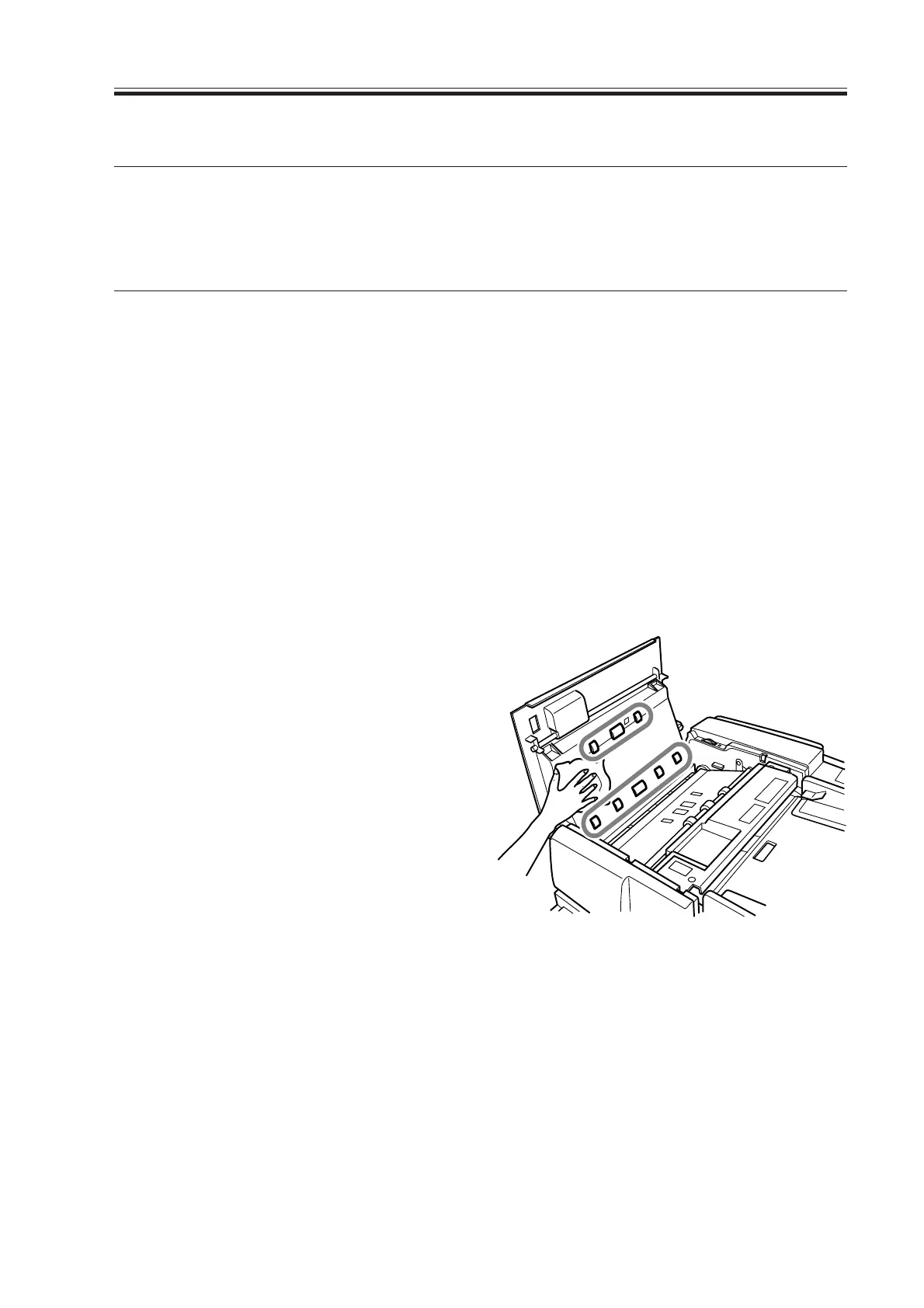
Clean the ADF as follows:
1) Open the feeder cover, and wipe the
rollers behind the feeder cover (8 pc. in
total) with a moist cloth while turning
the rollers; then, wipe them with a dry,
soft cloth. Likewise, clean the sheet
around the rollers in the same way.
F01-601-01
Download Free Service Manual at http://printer1.blogspot.com



 To Next Page