COPYRIGHT
©
2000 CANON INC. 2000 2000 2000 2000 CANON iR5000/iR6000 REV.0 JULY 2000
CHAPTER 3 INSTALLATION
3-13 S
Checks/remarks
2.8 Mounting the Pickup Assembly
Spacer
Spacer
Step
1
2
Work
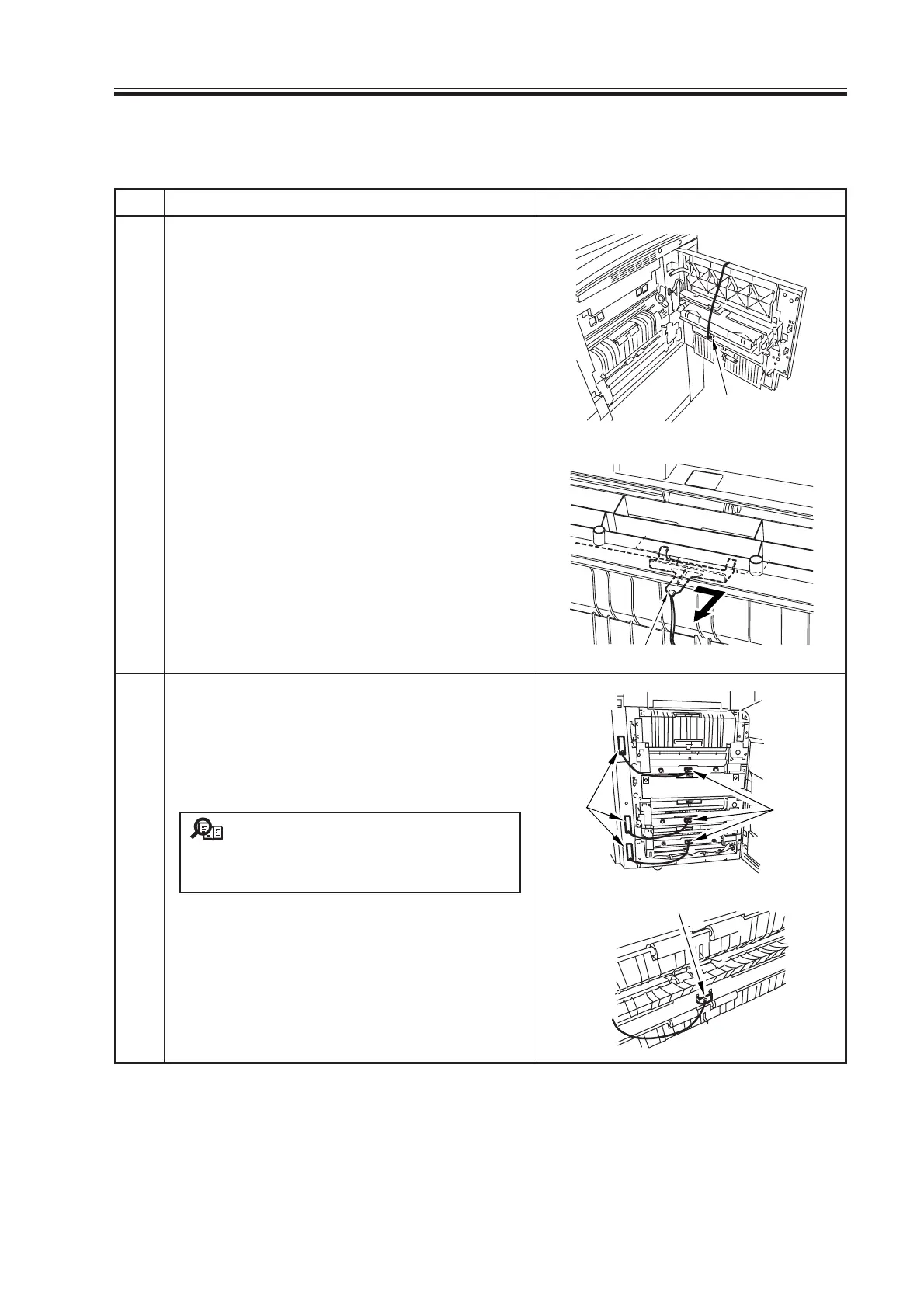
Open the right upper cover and remove the
pickup roller releasing spacer.
Slide the pickup roller releasing spacer to the
right; then pull it out to the front.
Slide out the right deck and the cassette half-
way and open the right upper cover and right
lower cover; then remove the pickup roller
releasing spacers of the right deck and cas-
sette 3/4.
It will be difficult to remove the
spacer if the deck/cassette is set; slide
them out halfway to unlock the spacers.
After removing all spacers, close the right
upper cover and the right lower cover.
Memo
Spacer
Spacers
Tags
Download Free Service Manual at http://printer1.blogspot.com



 To Next Page