COPYRIGHT
©
2000 CANON INC. 2000 2000 2000 2000 CANON iR5000/iR6000 REV.0 JULY 2000
CHAPTER 7 EXTERNALS AND CONTROLS
7-36 P
[1]
[1]
[2]
[1][1] [3]
[2]
[4] [6]
[5]
[4]
5.7 Motor
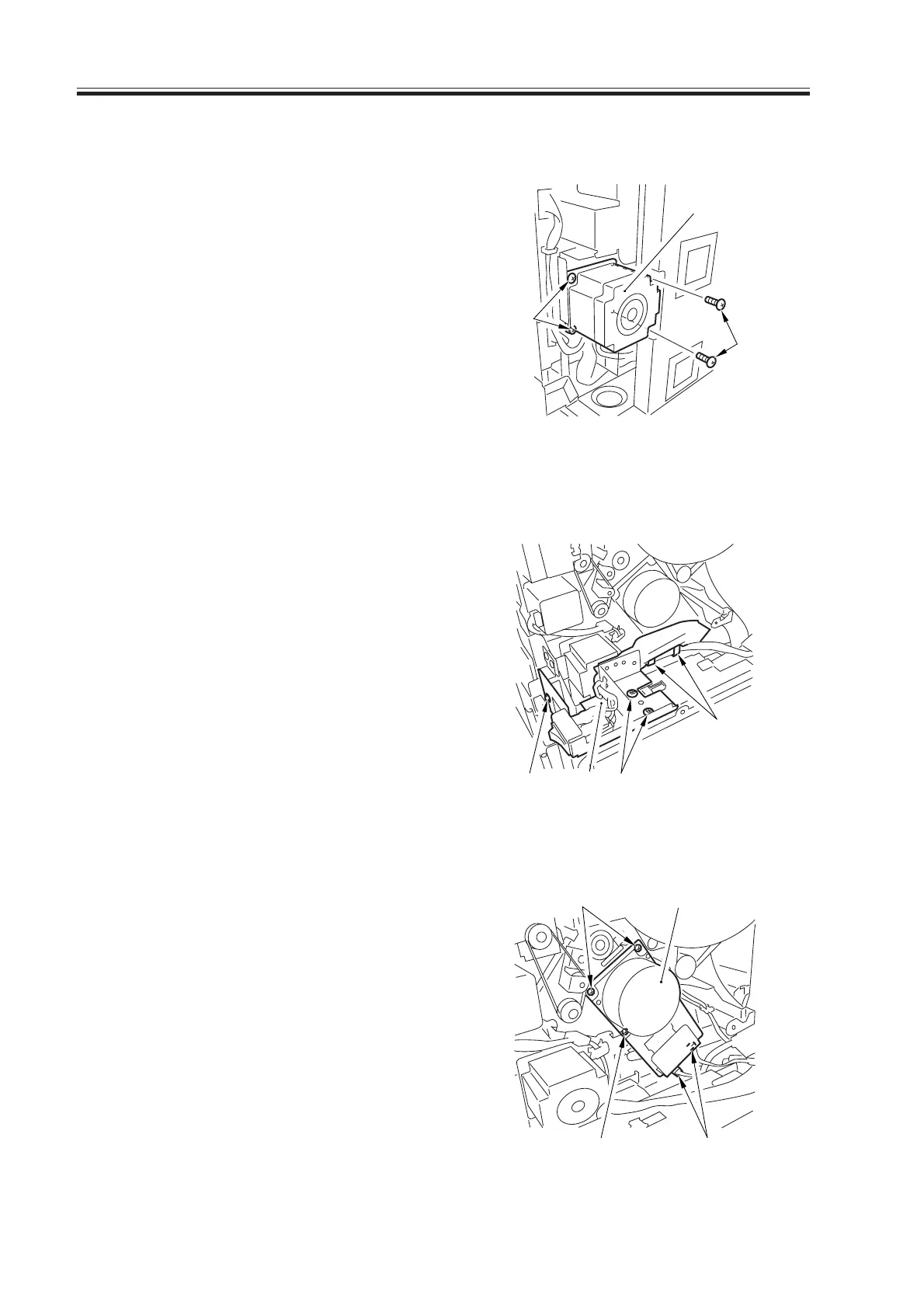
5.7.1 Vertical Path Lower Motor (M27)
1) Remove the right lower cover/rear lower
cover.
2) Remove the waste toner box.
3) Remove the four screws [1], and dis-
connect the connector; then, detach the
vertical path lower motor [2].
F07-507-01
5.7.2 Main Motor (M2)
1) Remove the main controller box.
2) Remove the right rear lower cover.
3) Remove the three screws [1], and re-
lease the two clamps [2]; then, remove
the main power switch base [3] out of
the way.
F07-507-02
4) Remove the three screws [4], and dis-
connect the connector [5]; then, detach
the main motor [6].
F07-507-03
Download Free Service Manual at http://printer1.blogspot.com



 To Next Page