COPYRIGHT
©
2000 CANON INC. 2000 2000 2000 2000 CANON iR5000/iR6000 REV.0 JULY 2000
CHAPTER 5 PICK UP/FEEDING SYSTEM
5-57 P
[4] [4][5]
[6]
[5]
Cassette 3/4
Right deck pickup assembly
Left deck pickup assembly
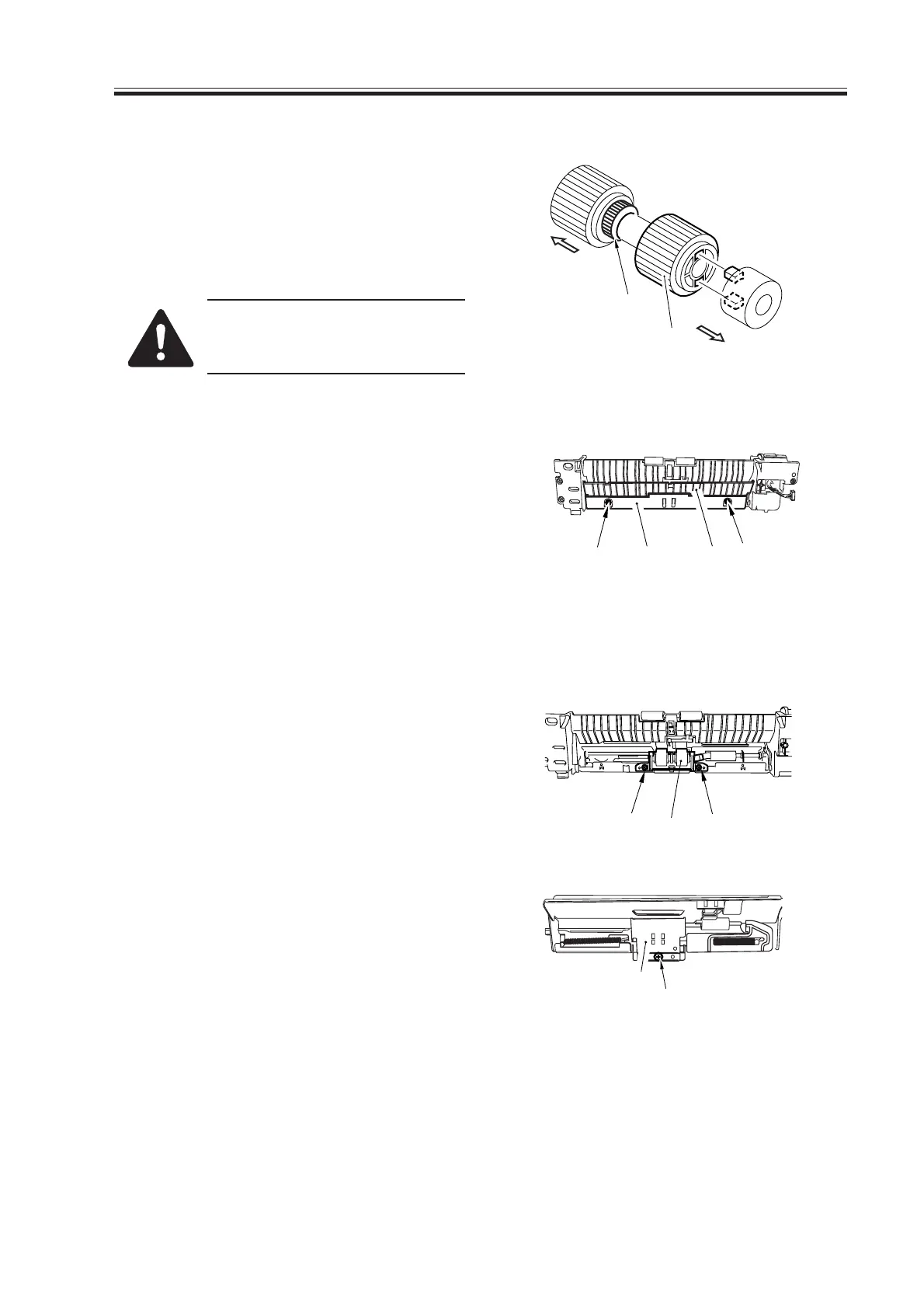
9.2.7 Orientation of the Feeding Roller of the Deck/Cassette Pickup As-
sembly
When mounting the feeding roller assem-
bly [1] to the cassette pickup assembly, be
sure that the belt pulley [2] is at the front of
the machine.
Check to make sure that the
protrusion in the roller plate and
the roller are engaged securely.
F05-902-09
9.2.8 Removing the Separation Roller
1) Remove the two mounting screws [1],
and detach the feed guide plate [2];
then, detach the open/close guide [3].
(Skip this step for the left deck pickup
assembly.)
F05-902-10
2) Remove the two mounting screws [4],
and detach the separation roller assem-
bly [5] form the joint.
(For the left deck pickup assembly, re-
move one screw [6].)
F05-902-11
[1]
[2]
(rear)
(front)
[1]
[2] [3] [1]
Download Free Service Manual at http://printer1.blogspot.com



 To Next Page