COPYRIGHT
©
2000 CANON INC. 2000 2000 2000 2000 CANON iR5000/iR6000 REV.0 JULY 2000
CHAPTER 5 PICK-UP/FEEDING SYSTEM
5-14 P
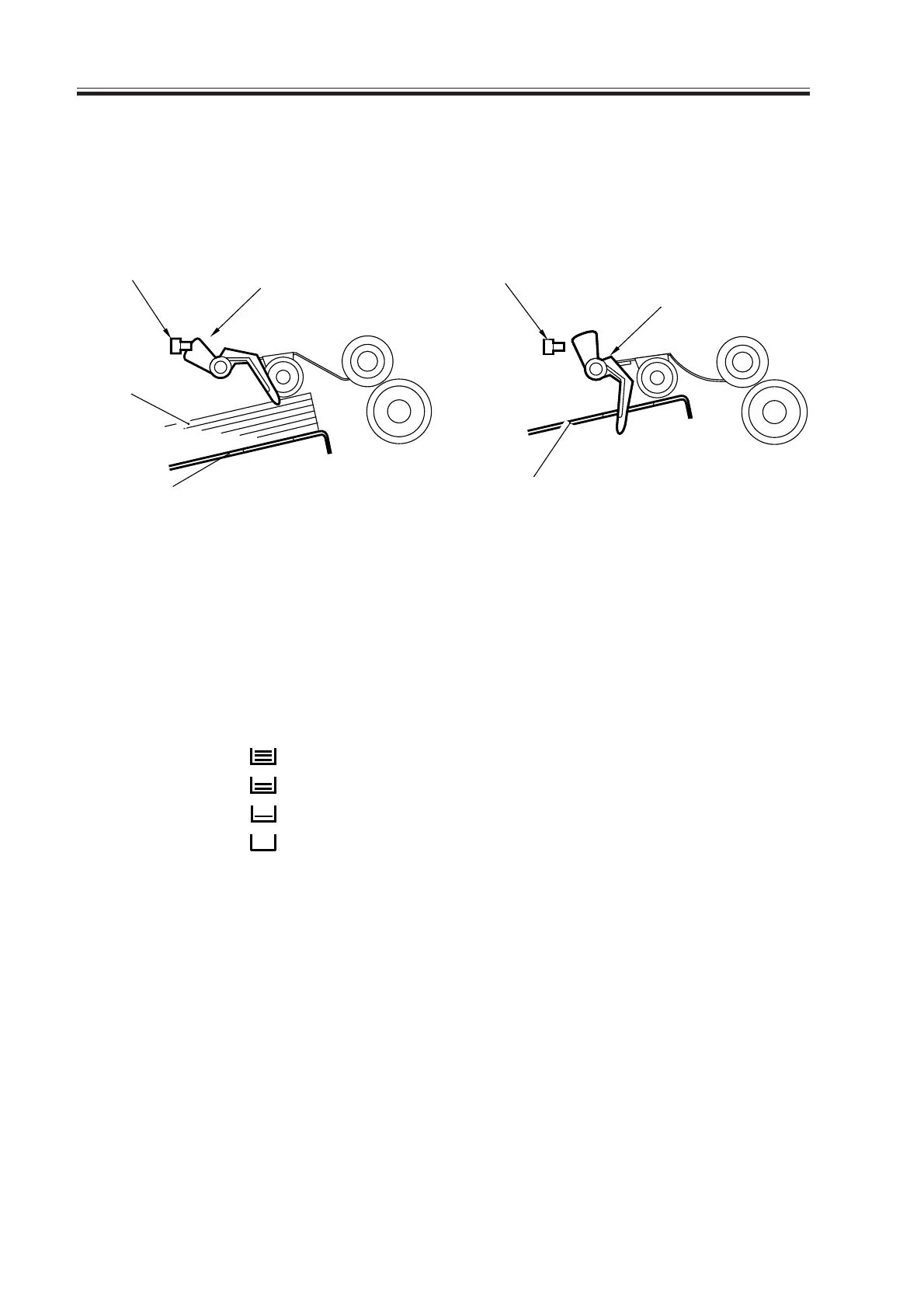
2.2.3 Detecting the Presence/Absence of Paper
The presence/absence of paper in the deck or the cassette is detected by the cassette paper
sensor.
• Paper Is Present • Paper Is Absent
F05-202-04 F05-202-05
2.2.4 Detecting the Level of Paper
a.Outline
The machine indicates the level of paper in the deck or the cassette on the control panel in
four levels (including absence):
Paper sensor
Paper detecting lever
Paper
Lifter
Paper sensor
Paper detecting lever
Lifter
F05-202-06 T05-202-02
3 bars
2 bars
1 bar
No bar
100% to about 50% of capacity
50% to about 10% of capacity
10% or less of capacity
Absence of paper
Download Free Service Manual at http://printer1.blogspot.com



 To Next Page