COPYRIGHT
©
2000 CANON INC. 2000 2000 2000 2000 CANON iR5000/iR6000 REV.0 JULY 2000
CHAPTER 5 PICK UP/FEEDING SYSTEM
5-61 P
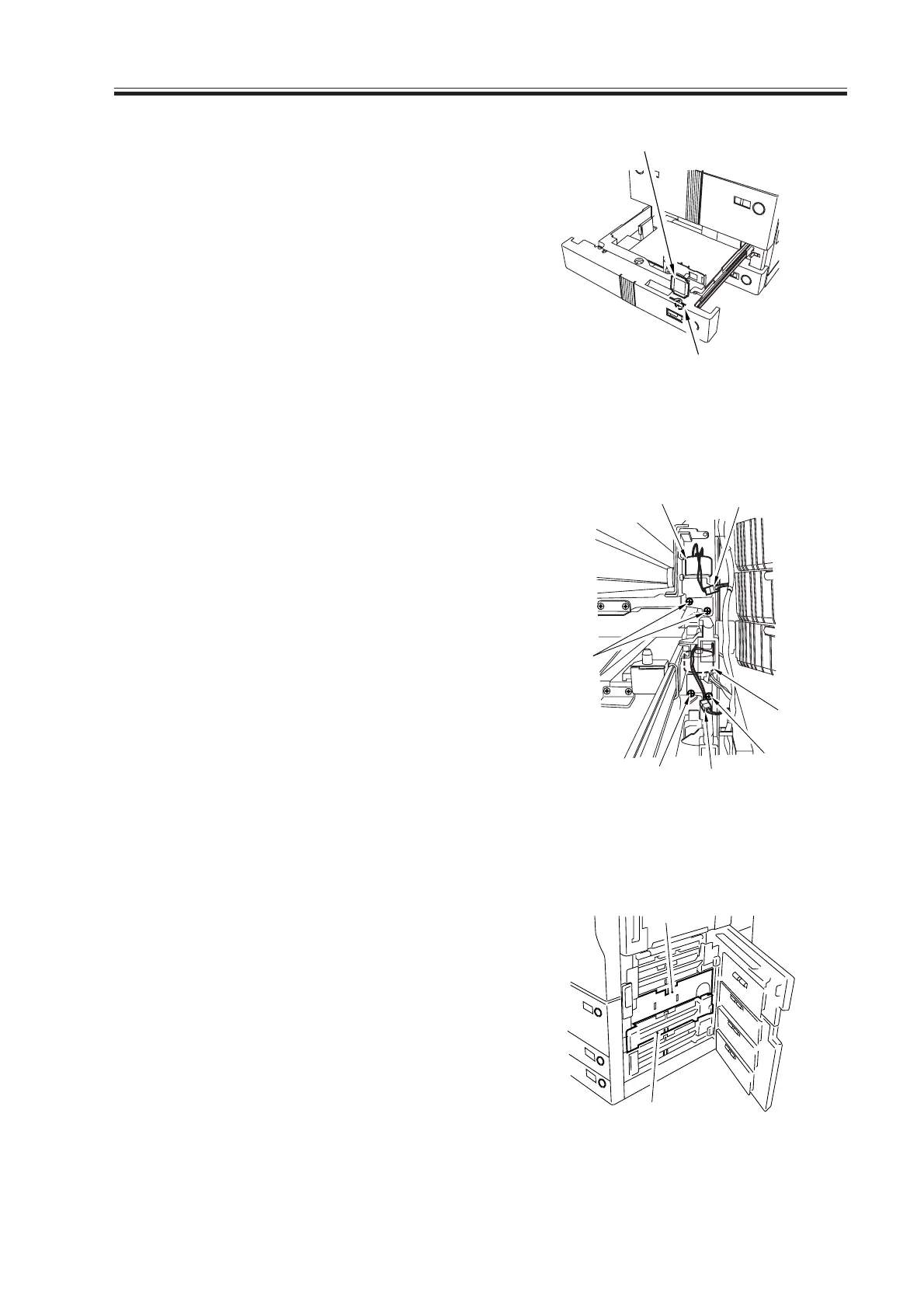
2) Remove the paper size plate [2], and
make adjustments using the adjusting
screw [3] found at the rear of the widow
of the paper size plate [2]; thereafter,
tighten the two fixing screws [1].
Then, be sure to execute the following
in service mode:
COPIER>FUNCTION>CST-C3-
STMTR/A4R or C4-STMTR/A4R.
F05-902-19
9.2.13 Removing the Lifter Motor M20 (M21) of the Cassette 3 (4)
1) Slide out the right deck and the cassette
3/4.
2) Take out the cassette right cover. (See
9.3.2 “Removing the Vertical Path
Roller 2.”)
3) Remove the two fixing screws [1] of the
lifter motor M20 (M21), and disconnect
the connector [2]; then, detach the lifter
motor [3].
F05-902-20
9.2.14 Adjusting the Position of the Lifter Motor M20 (M21) of the Cassette
3 (cassette 4)
1) Remove the guide plate [1] of the verti-
cal path roller 2. (See 9.3.2 “Removing
the Vertical Path Roller 2.”)
(In the case of the lifter motor M21, re-
move the cassette 3 pickup assembly
[2]; for instructions, see 9.2.1 “Remov-
ing the Right Deck.”)
[2]
[3]
F05-902-21
[1]
[2]
[3]
[3]
[2]
[1]
[1]
[1]
[2]
Download Free Service Manual at http://printer1.blogspot.com



 To Next Page