COPYRIGHT
©
2000 CANON INC. 2000 2000 2000 2000 CANON iR5000/iR6000 REV.0 JULY 2000
CHAPTER 1 GENERAL DESCRIPTION
1-30 S
6.2 Inspection
Advise the user to check the circuit breaker at least once or twice a month as shown be-
low.
6.2.1 Making a Check
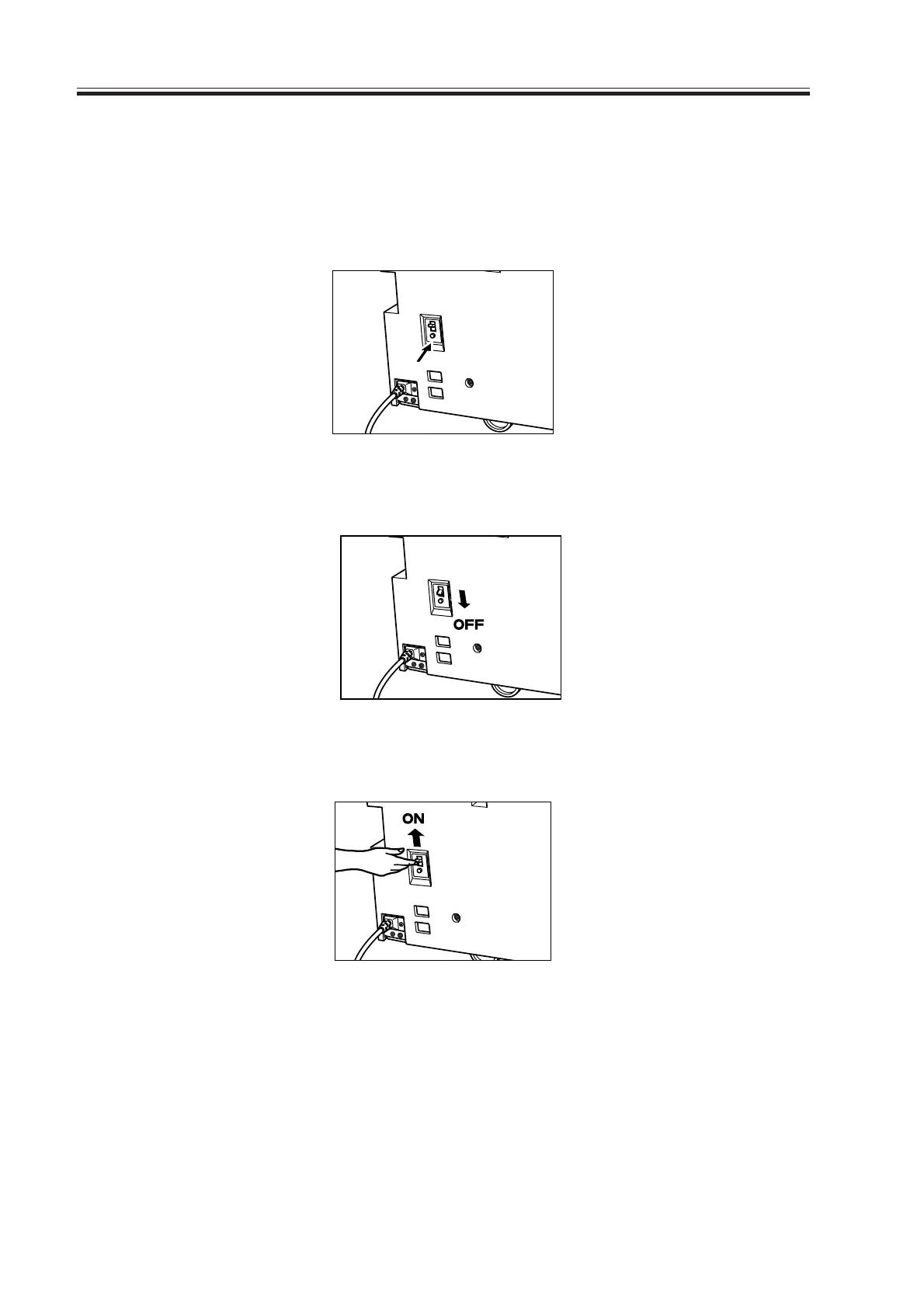
1) Press the test button in the machine’s bottom left.
F01-602-01
2) Check to make sure that the open/close lever shifts to OFF and the power turns off.
F01-602-02
3) After making the above check, shift the open/close lever to ON.
F01-602-03
4) Enter the date in the Breaker Check Sheet found at the back of the User’s Manual.
Download Free Service Manual at http://printer1.blogspot.com



 To Next Page