COPYRIGHT
©
2000 CANON INC. 2000 2000 2000 2000 CANON iR5000/iR6000 REV.0 JULY 2000
CHAPTER 6 FIXING SYSTEM
6-32 P
4.4 Fixing Roller Assembly
4.4.1 Removing the Fixing Upper Roller
1) Remove the fixing assembly form the
machine.
2) Remove the fixing web, and clean the
oil pan.
3) Remove the two fixing heaters.
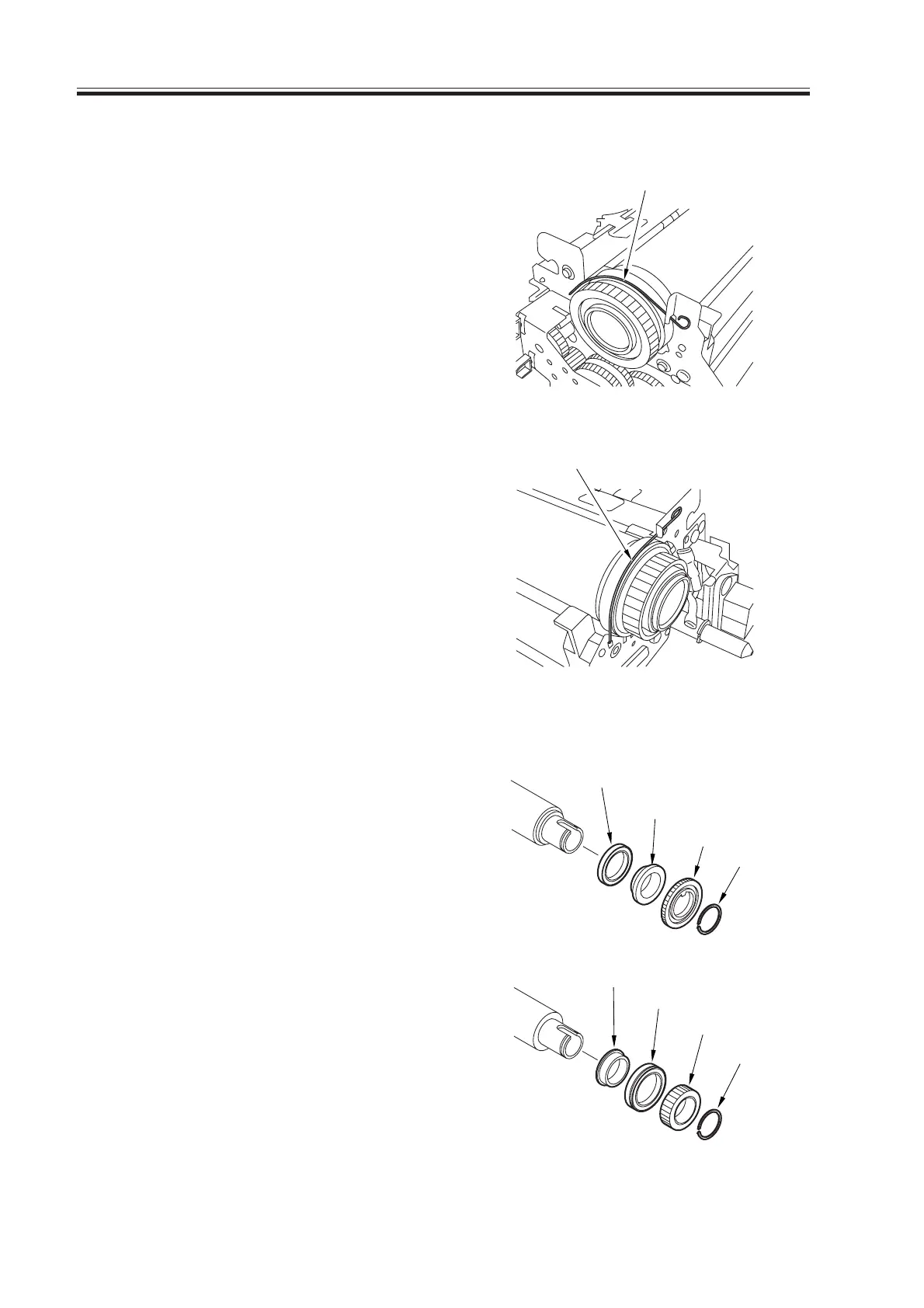
4) Remove the stopper [1], one each from
the front and the rear.
5) While paying attention to the thermal
switch and the thermistor, detach the
upper roller assembly.
F06-404-01
6) Remove the C-ring [2] at the front, and
remove the gear [3], bushing [4], and
bearing [5].
7) Remove the C-ring [6] at the rear, and
remove the gear [7], bearing [8], and
bushing [9].
F06-404-02
(front)
(rear)
[1]
[1]
[9]
[8]
[7]
[6]
[2]
[3]
[4]
[5]
(front)
(rear)
Download Free Service Manual at http://printer1.blogspot.com



 To Next Page