COPYRIGHT
©
2000 CANON INC. 2000 2000 2000 2000 CANON iR5000/iR6000 REV.0 JULY 2000
CHAPTER 6 FIXING SYSTEM
6-40 P
5) Disconnect the connector [3], and re-
move the snap-on assembly; then, de-
tach the internal delivery sensor [4].
F06-407-04
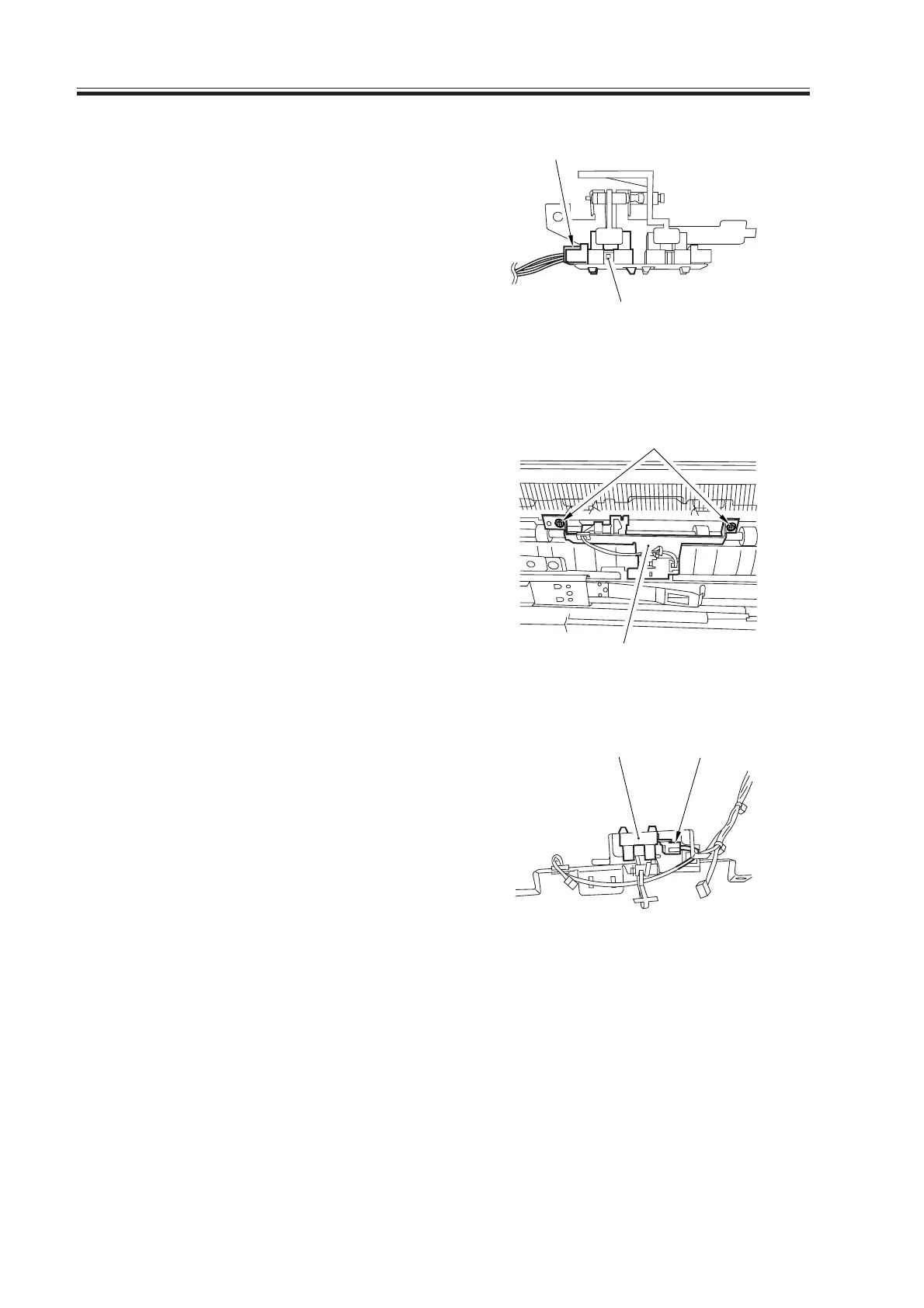
4.7.3 Removing the Delivery Jam Sensor
1) Remove the fixing assembly from the
machine.
2) Remove the external delivery roller.
3) Remove the two screws [1], and detach
the sensor support plate [2].
F06-407-05
4) Disconnect the connector [3], and de-
tach the delivery jam sensor [4].
F06-407-06
[4]
[3]
[2]
[1]
[4]
[3]
Download Free Service Manual at http://printer1.blogspot.com



 To Next Page