COPYRIGHT
©
2000 CANON INC. 2000 2000 2000 2000 CANON iR5000/iR6000 REV.0 JULY 2000
CHAPTER 3 INSTALLATION
3-14 S
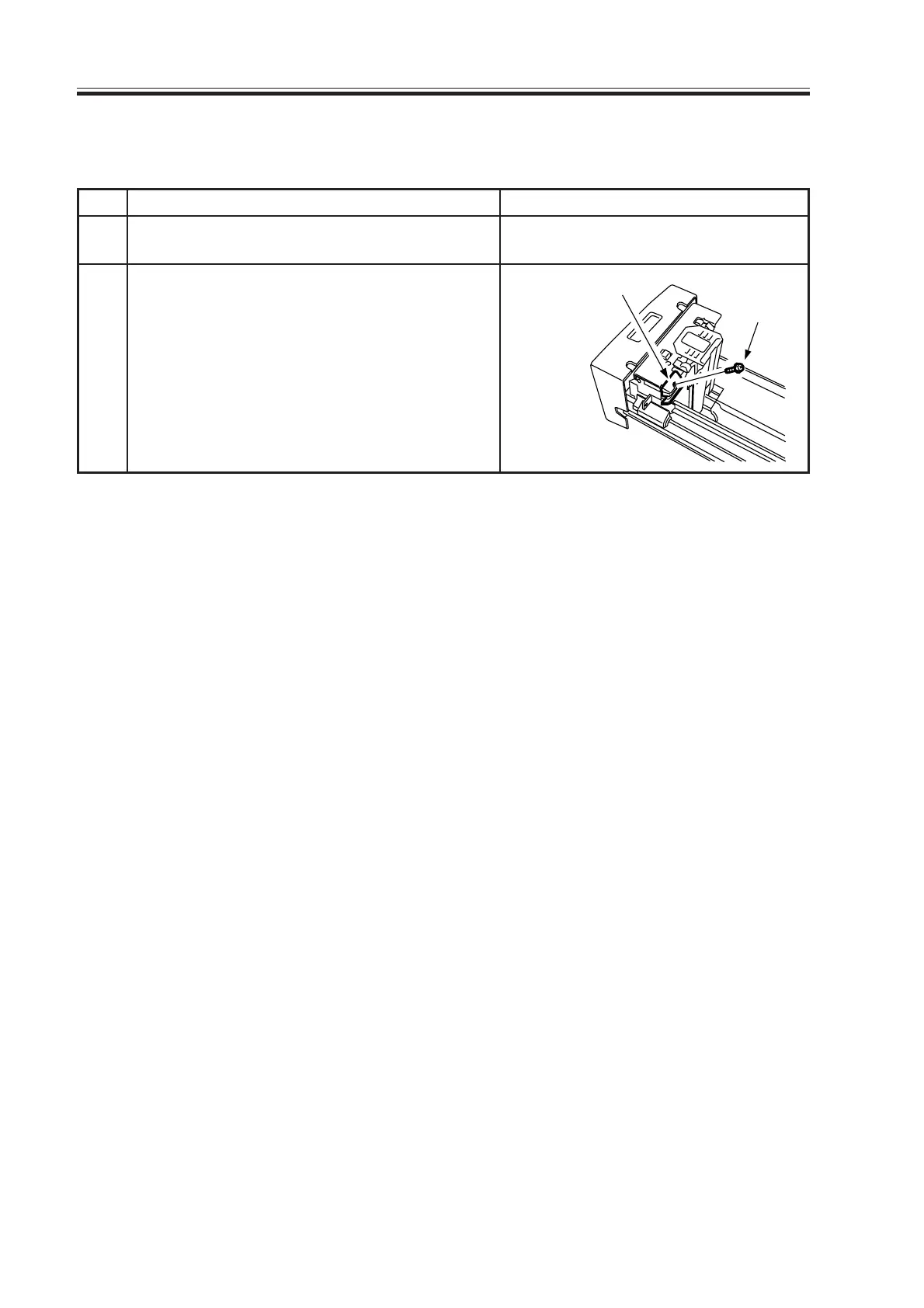
2.9 Mounting the Deck Locking Plate (left deck)
Screw
Deck locking plate
Checks/remarksStep
1
2
Work
Push the releasing button of the left deck,
and slide out the left deck.
Fit the deck locking plate with a screw.
Close the left deck.
Download Free Service Manual at http://printer1.blogspot.com



 To Next Page